HTML, CSS & JS Practice
Tetris
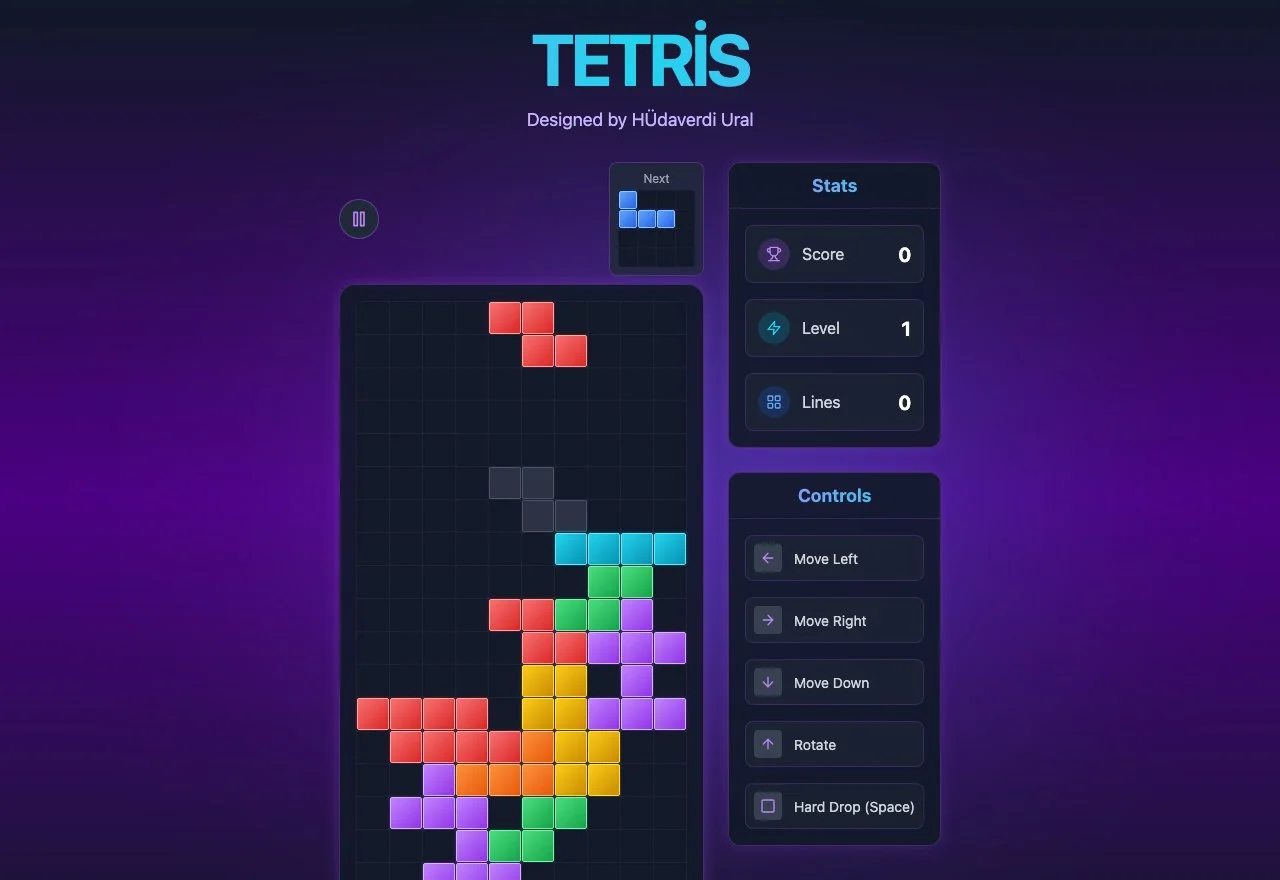
A classic Tetris built from scratch as a personal coding exercise: piece rotation, line clearing, scoring, and all of it running in the browser with plain HTML, CSS, and JavaScript, with Cursor, Claude, and Codex helping along the way.
PlayBest played on desktop, keyboard controls only for now.
About the
Project
Tetris is a personal project I built just to keep my hands busy with code: a fully playable version of the classic game, running entirely in the browser on vanilla JavaScript.
No framework, no game engine, just a grid, a handful of piece shapes, and the logic that makes them fall, rotate, lock into place, and clear a row once it fills up. It's the kind of project that looks simple until you actually sit down and build it.
Role: Front-End Design & Development (Practice)
Building It
With AI
I wrote this in Cursor, working with Claude and Codex on the parts that get genuinely tricky in a game like this: how a piece should rotate near a wall without getting stuck, how to catch a completed line the moment it happens, and how the scoring and level curve should feel as the board fills up.
The AI tools didn't write the game for me. They gave me a first pass to react to, something I could test, break, and rework until the collision detection felt solid and a hard drop actually felt satisfying. That back and forth is where I got better at reading game logic, not just writing it.
It also pushed the experience further than I would have gotten alone: the next piece preview, the pause state, the stats panel. Small things, but they're the difference between a grid that technically works and a game that actually feels good to play.
Play It
Yourself
Screenshots don't really do a game justice. Drop a few pieces, clear a line, and see how it actually feels.
Play