Email & CRM Design
HubSpot Newsletter Builder
Designing a scalable newsletter creation system for non-technical editors.
A custom internal tool that lets editors build HubSpot-compatible newsletters without touching code, while keeping the design consistent and cutting down on production errors.
Overview
The editorial team publishes newsletters through HubSpot regularly, but HubSpot's email editor comes with a few challenges of its own:
- Limited design flexibility
- Large and complex email structures
- Strict formatting limitations
- Frequent template breakages
- Inconsistent outputs caused by manual editing
Most editors aren't familiar with HTML email development, so layouts break, branding gets inconsistent, and fixes end up eating a lot of time.
The Problem
Limited HubSpot Editing Experience
The native editor doesn't offer much flexibility, and it gets hard to manage once a newsletter structure gets big.
Template Breakage
Editors often tweak layouts and end up breaking the newsletter templates without meaning to.
Design Inconsistency
Visual quality depends a lot on who's putting the newsletter together.
Production Bottlenecks
Design and dev teams end up fixing issues instead of making new content.

HubSpot, the platform newsletters ultimately get sent from.
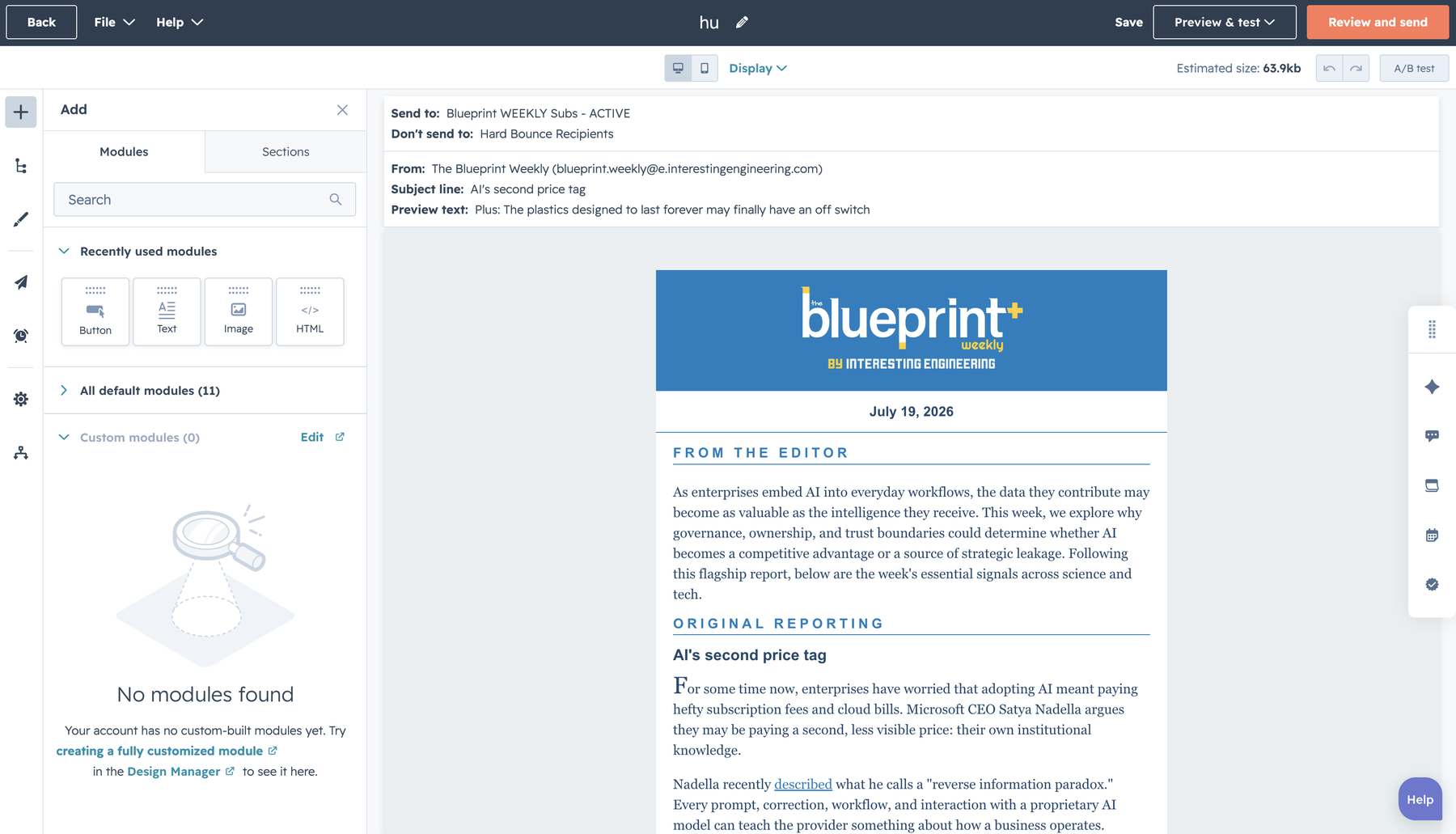
HubSpot's native email editor, the cramped environment editors had to work in directly.
The Solution
Instead of making editors work directly inside HubSpot, I built a custom newsletter builder that generates HubSpot-compatible code on its own. Editors put newsletters together through a simple visual interface, and the system handles the production-ready code behind the scenes.
- No coding knowledge required
- Consistent design system
- Faster newsletter production
- Reduced template errors
- Scalable workflow
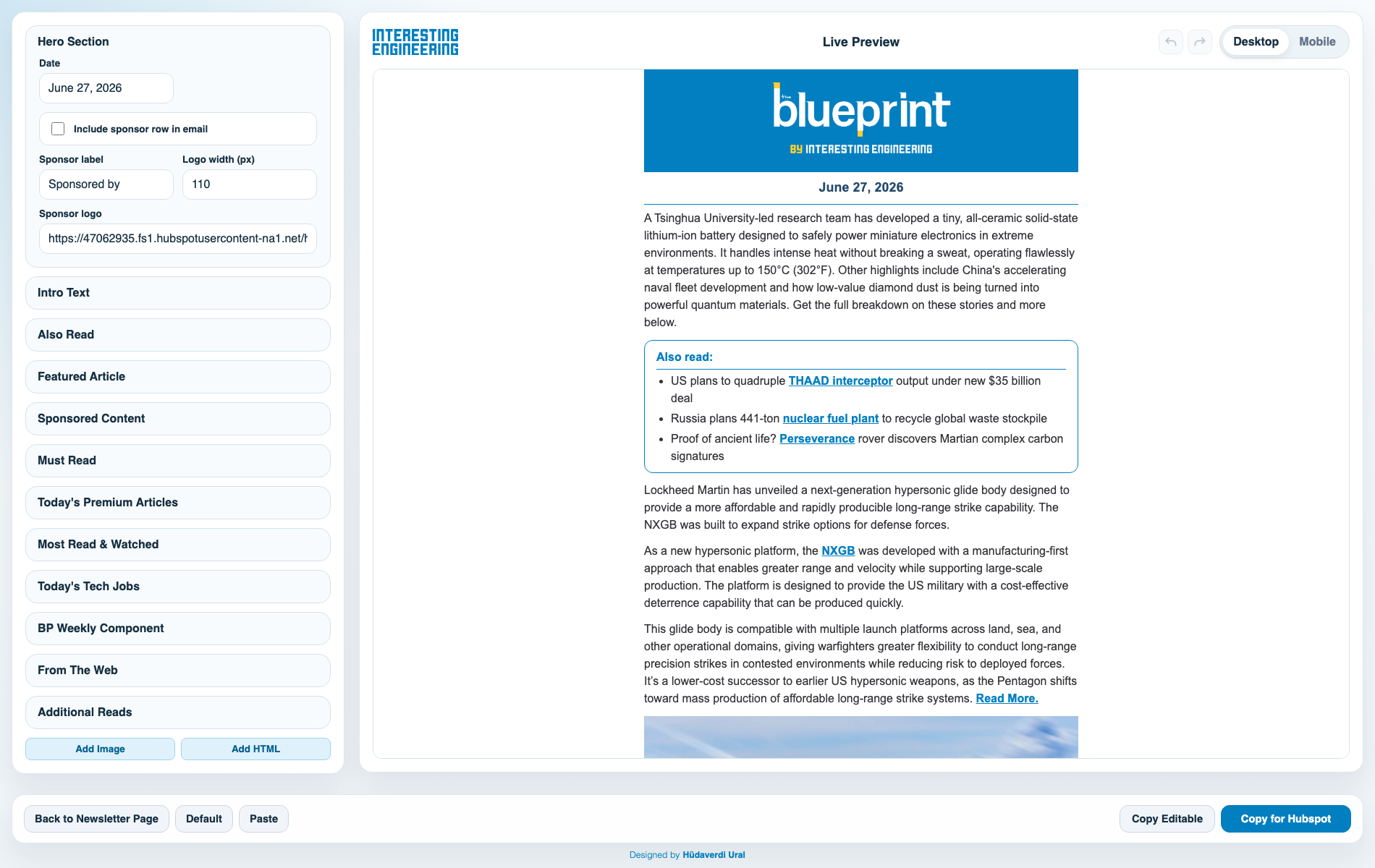
Newsletter Builder
Dashboard
The dashboard lets editors create and manage newsletter content through a simple interface, while it quietly generates HubSpot-compatible output in the background.
Workflow
Content Creation
Visual Configuration
Template Generation
Automatic HubSpot Code Creation
Publish
Code
Generation
The system generates production-ready code that drops straight into HubSpot, so there's no manual coding and far fewer implementation errors.
<table width="100%" border="0" cellpadding="0" cellspacing="0" bgcolor="#ffffff" style="background-color:#ffffff; font-family:Arial,Helvetica,sans-serif;">
<tr>
<td align="center" style="padding:0px 0px;">
<table width="600" border="0" cellpadding="0" cellspacing="0" bgcolor="#ffffff" style="width:600px;max-width:600px;background-color:#ffffff;">
<tr>
<td align="center" style="padding:0;">
<a href="https://interestingengineering.com/" target="_blank"><img src="https://47062935.fs1.hubspotusercontent-na1.net/hubfs/47062935/bp.jpg?width=860&t=1774449099545&cb=2" width="600" alt="The Blueprint" style="display:block;border:0;width:100%;max-width:600px;height:auto;"></a>
</td>
</tr>Impact
Consistency
Newsletters look a lot more consistent now.
Efficiency
Editors get through production a lot faster.
Scalability
A system that scales with the team as content operations grow.
Error Reduction
Fewer broken templates and formatting headaches.
Collaboration
Smoother handoffs between editorial, design, and dev teams.
Try the
Dashboard
Try the newsletter builder yourself and see how editors create HubSpot-ready newsletters without writing a line of code.
Explore Dashboard