Product Designer
Nexa Merchant
The seller side of the Nexa store. Orders, inventory, customers and analytics in one panel. Admin tools tend to get crowded, so the challenge was keeping the same calm, light visual language while handling dense data. Twelve flows, desktop and mobile.
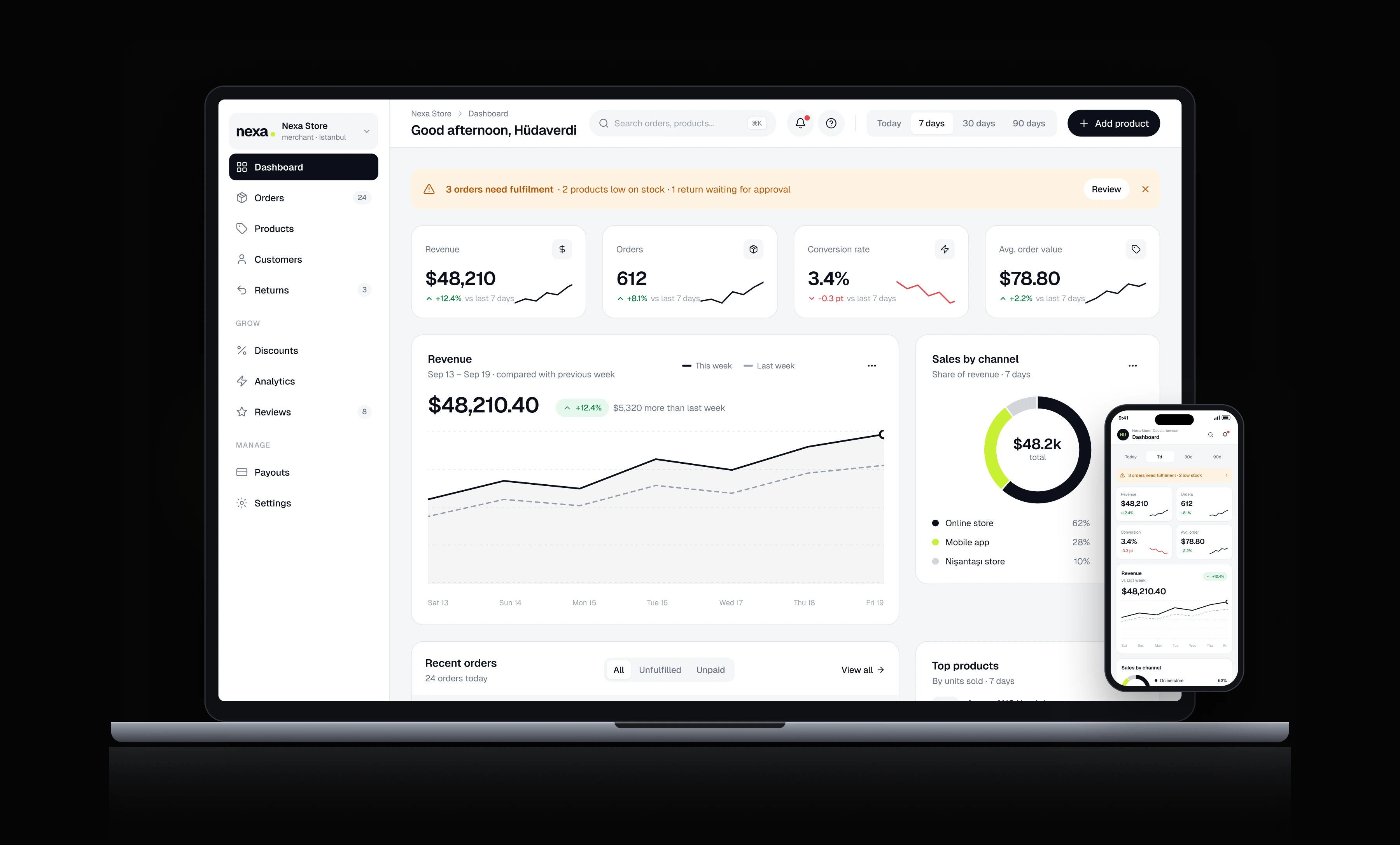
Overview
Every page answers one question first and lets you dig deeper after. Status colours mean the same thing everywhere, and bulk actions only appear once something is selected. On mobile the data is not trimmed, just laid out for a narrower screen.
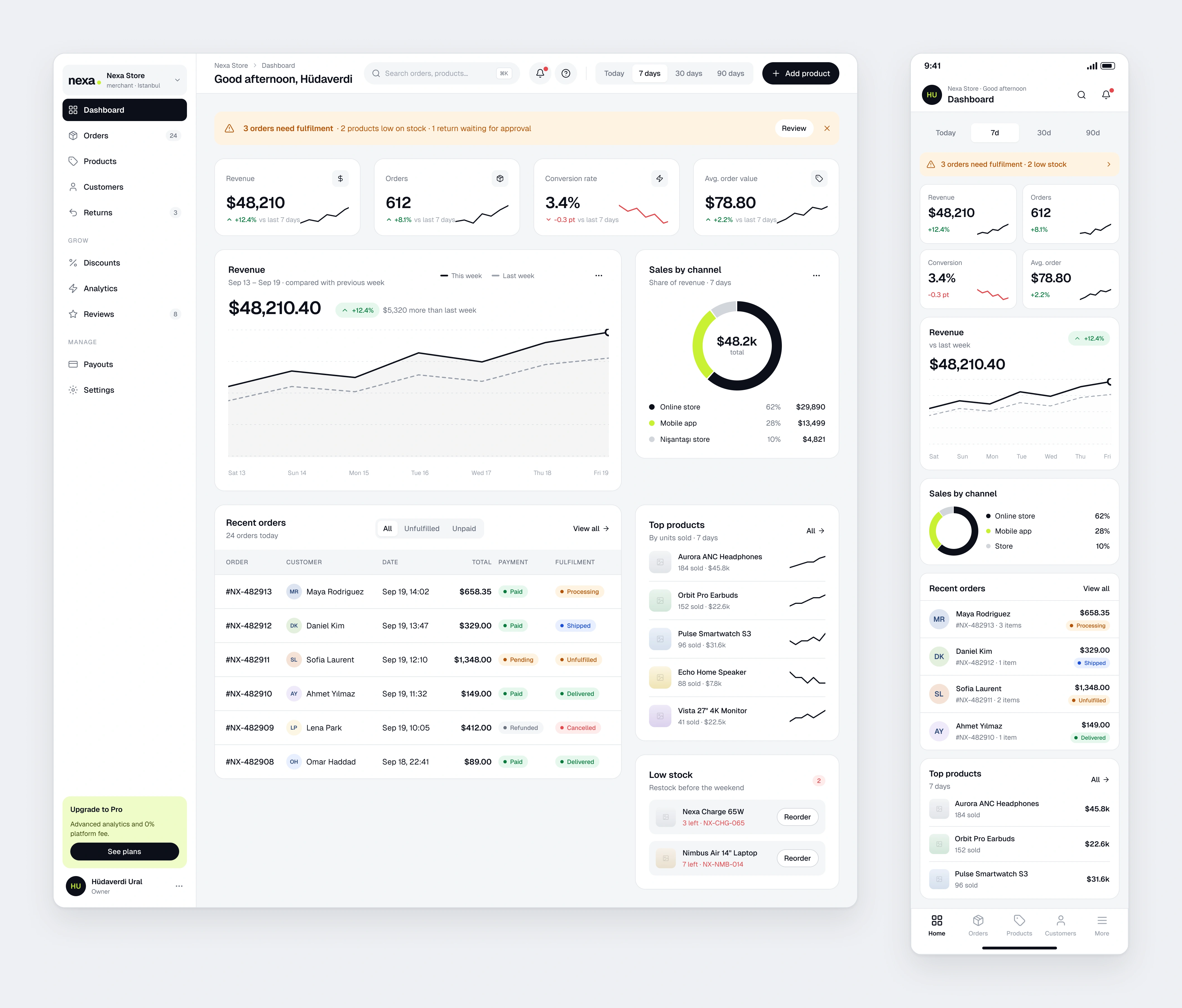
Dashboard
Alerts first, then revenue, channels, recent orders and stock warnings.
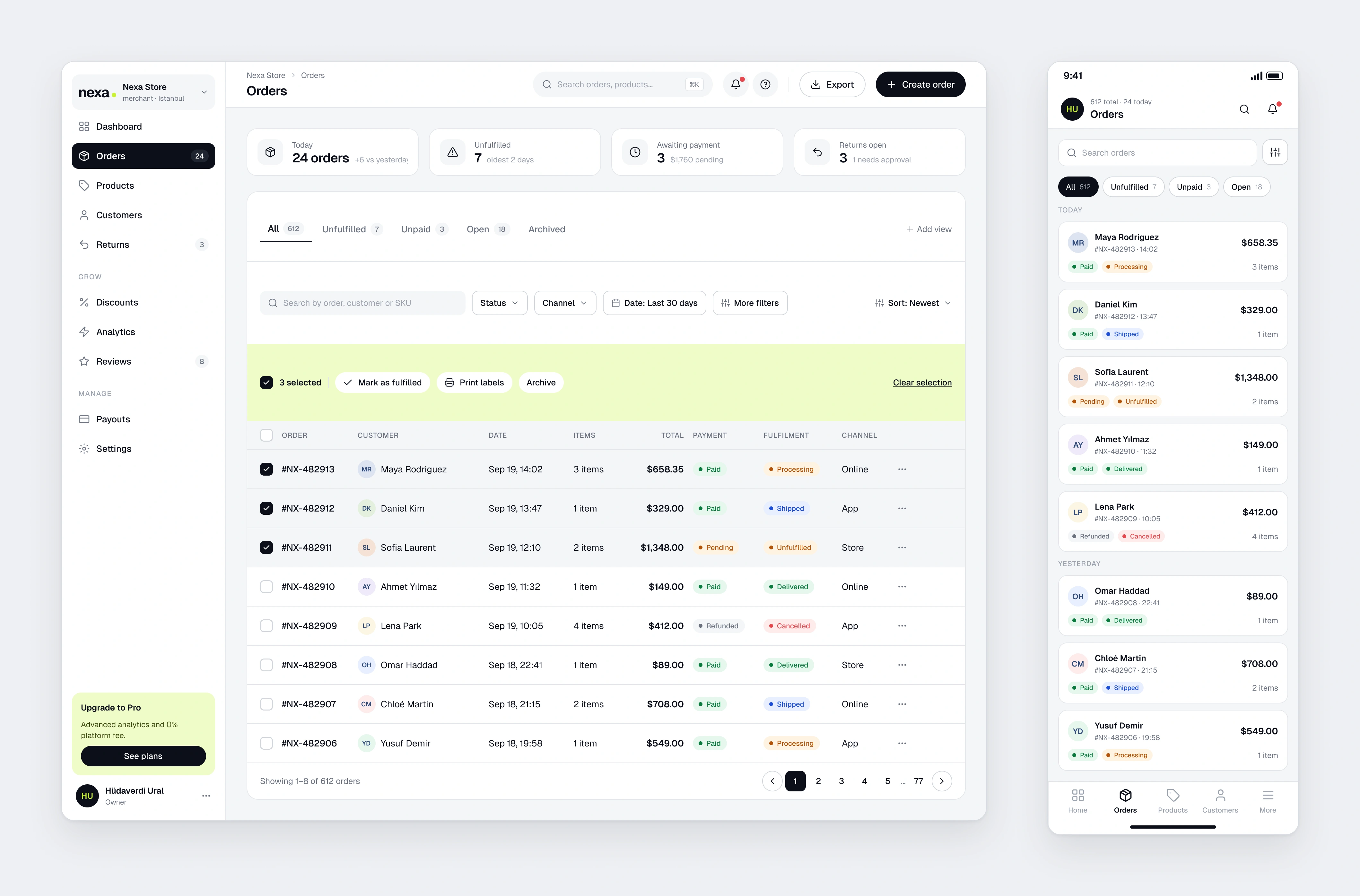
Orders
Saved views, filters and a bulk action bar that appears on selection. Payment and fulfilment status stay separate.
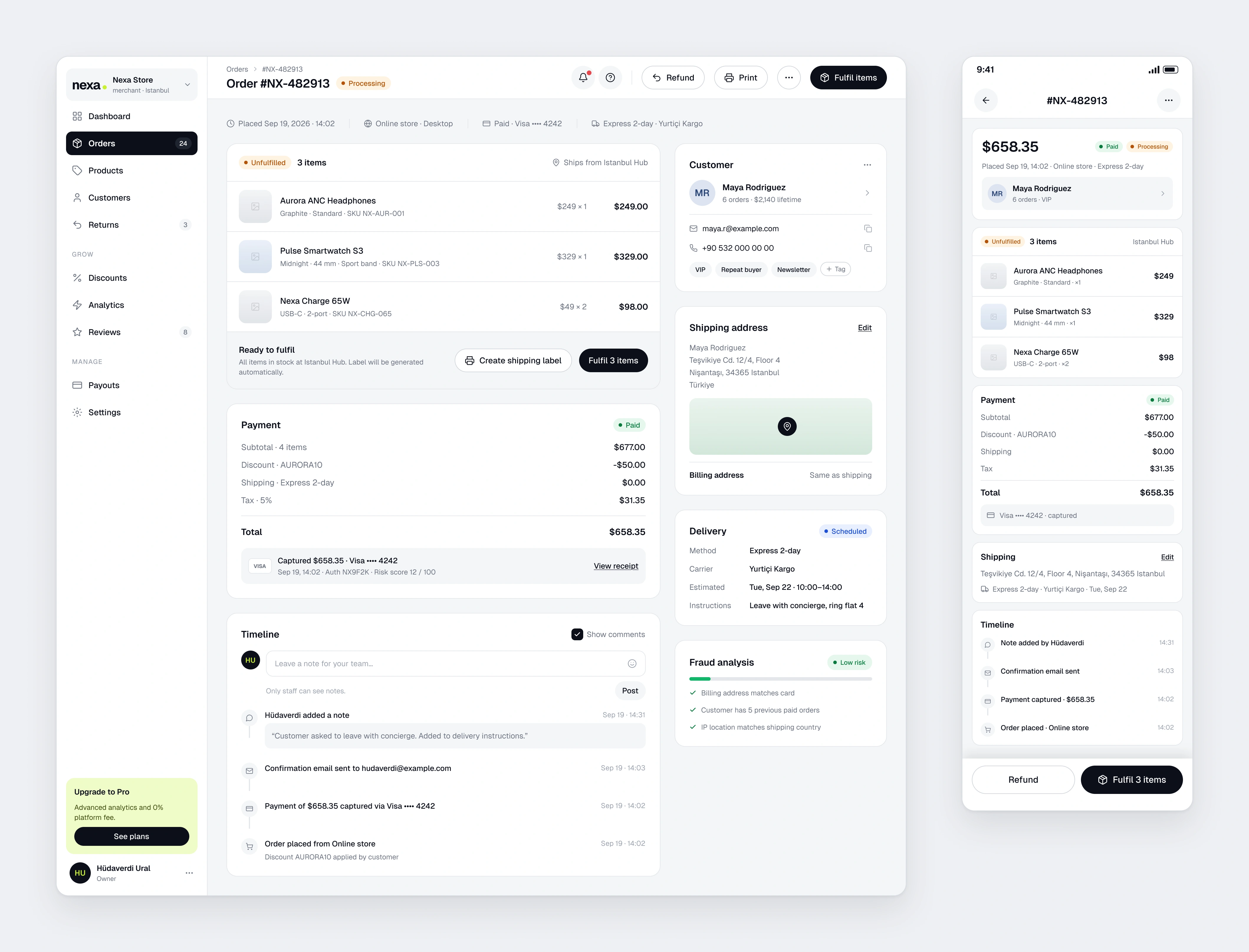
Order Detail
Items, payment, timeline and customer context on one page. If the stock is there, fulfilment is one button.
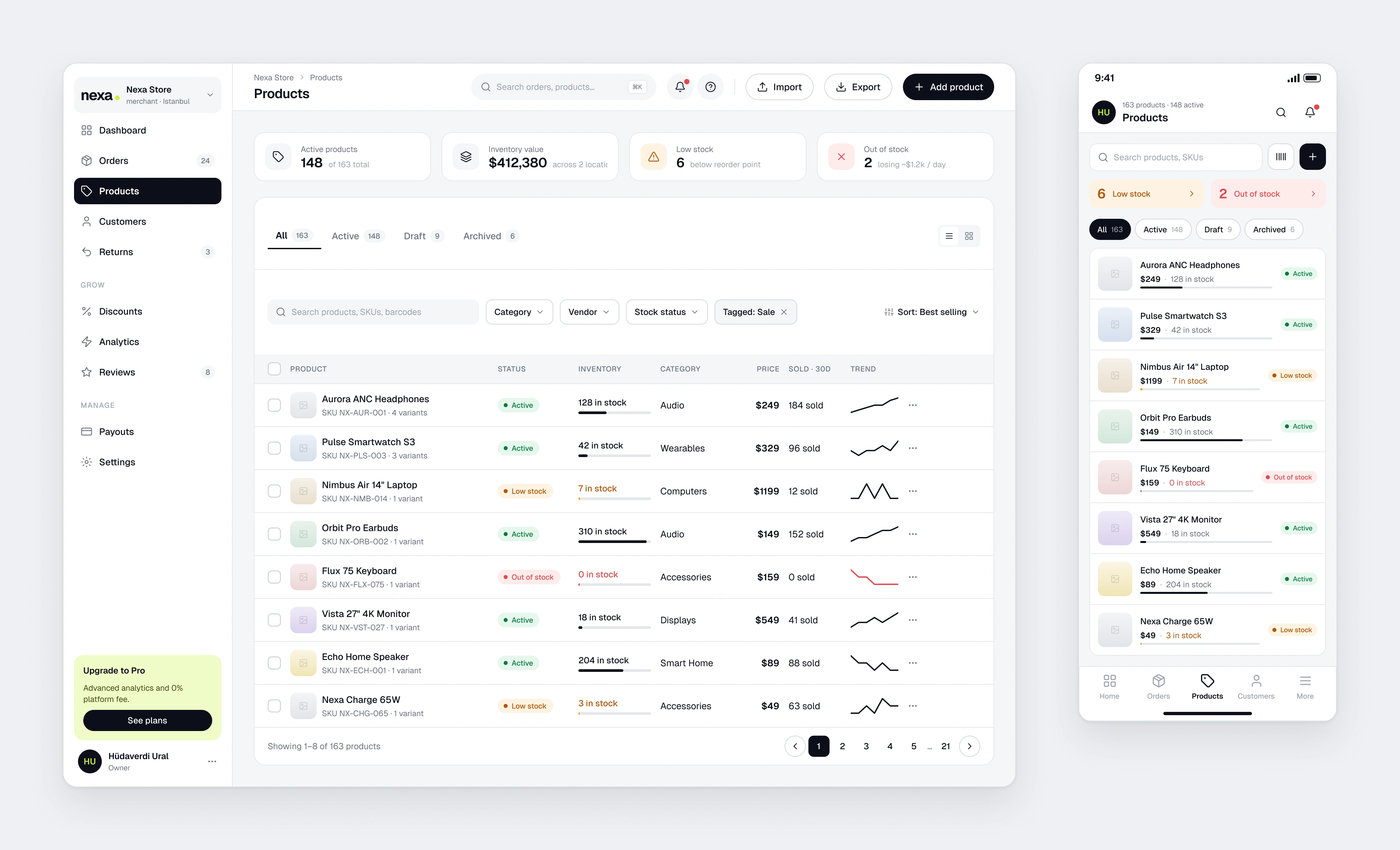
Products
Inventory health shows in the list itself, so a problem surfaces before you open the product.
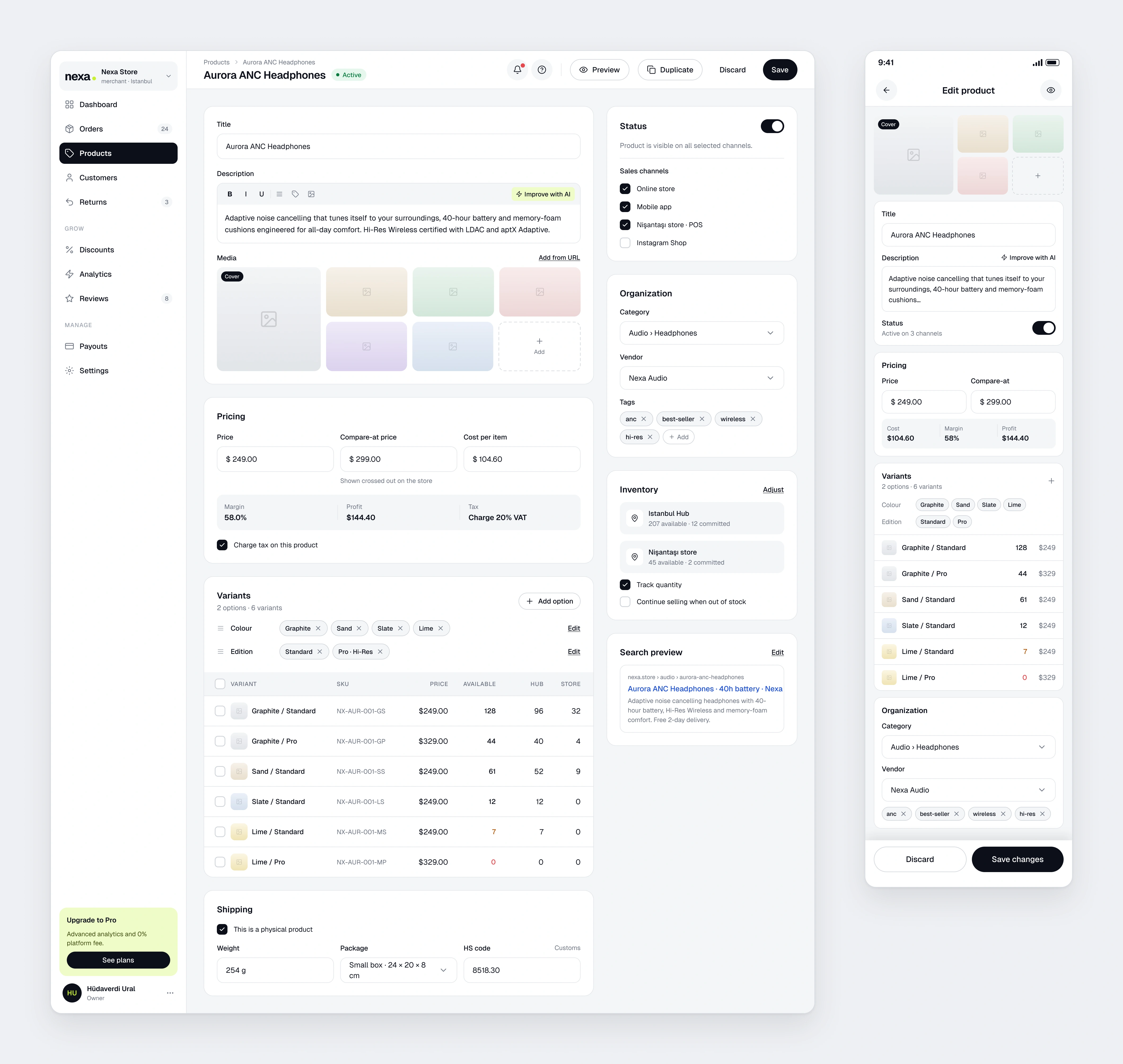
Product Editor
Media, pricing with a live margin, a variant matrix by location and the sales channels. No extra tabs.
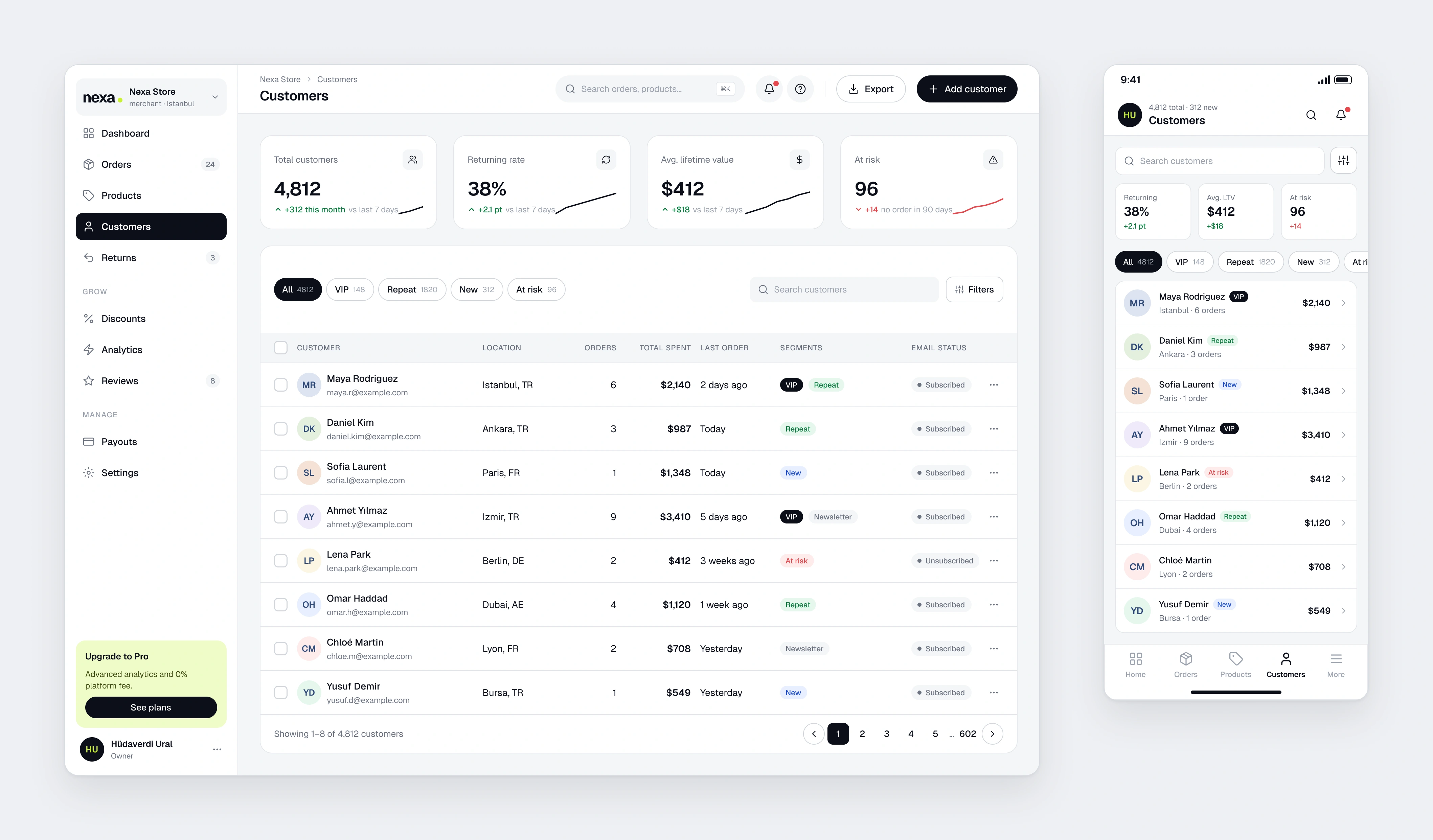
Customers
Segments work as filters, with lifetime value and email status right in the row.
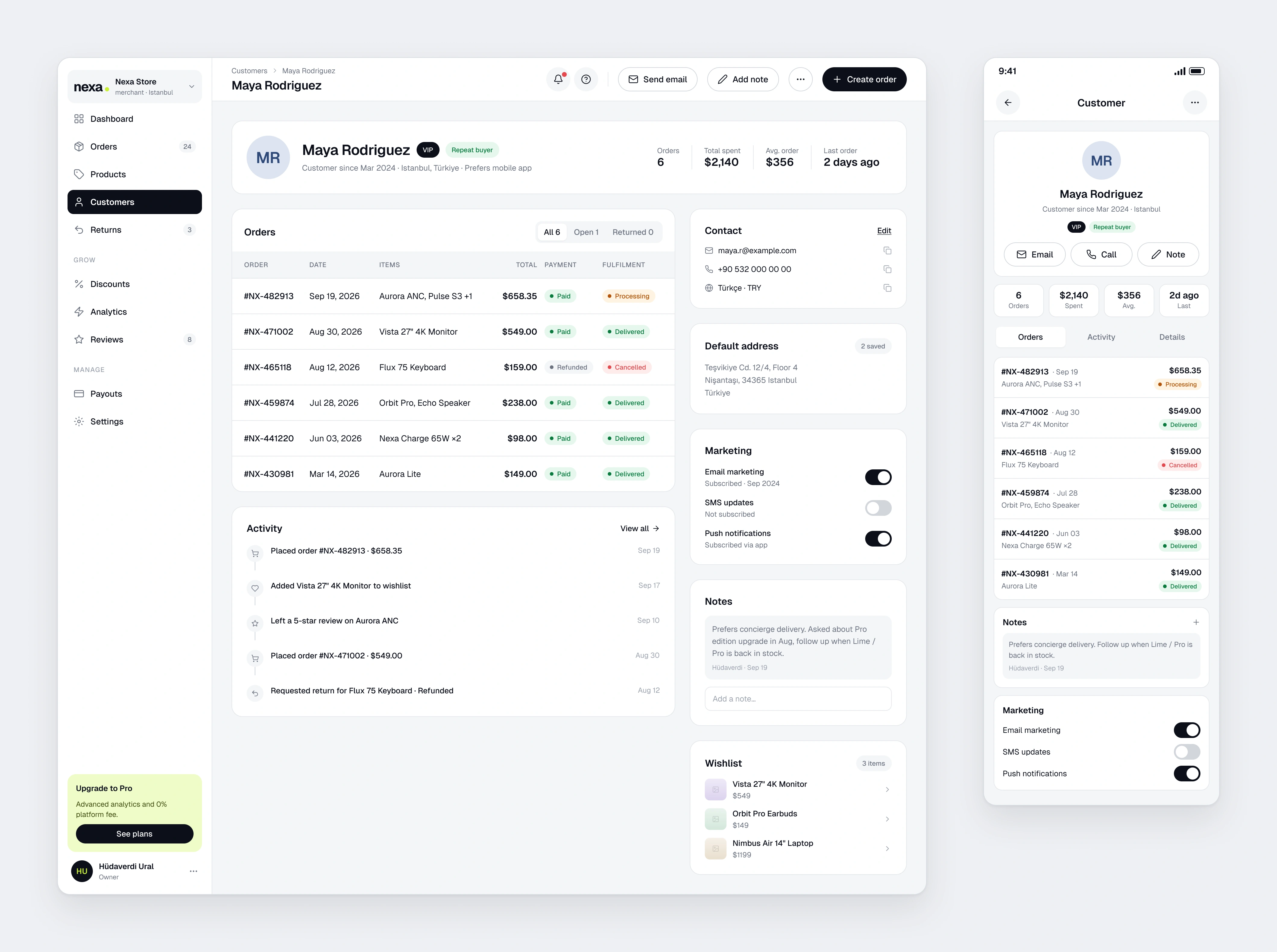
Customer Detail
Order history, activity, marketing consent and internal notes side by side.
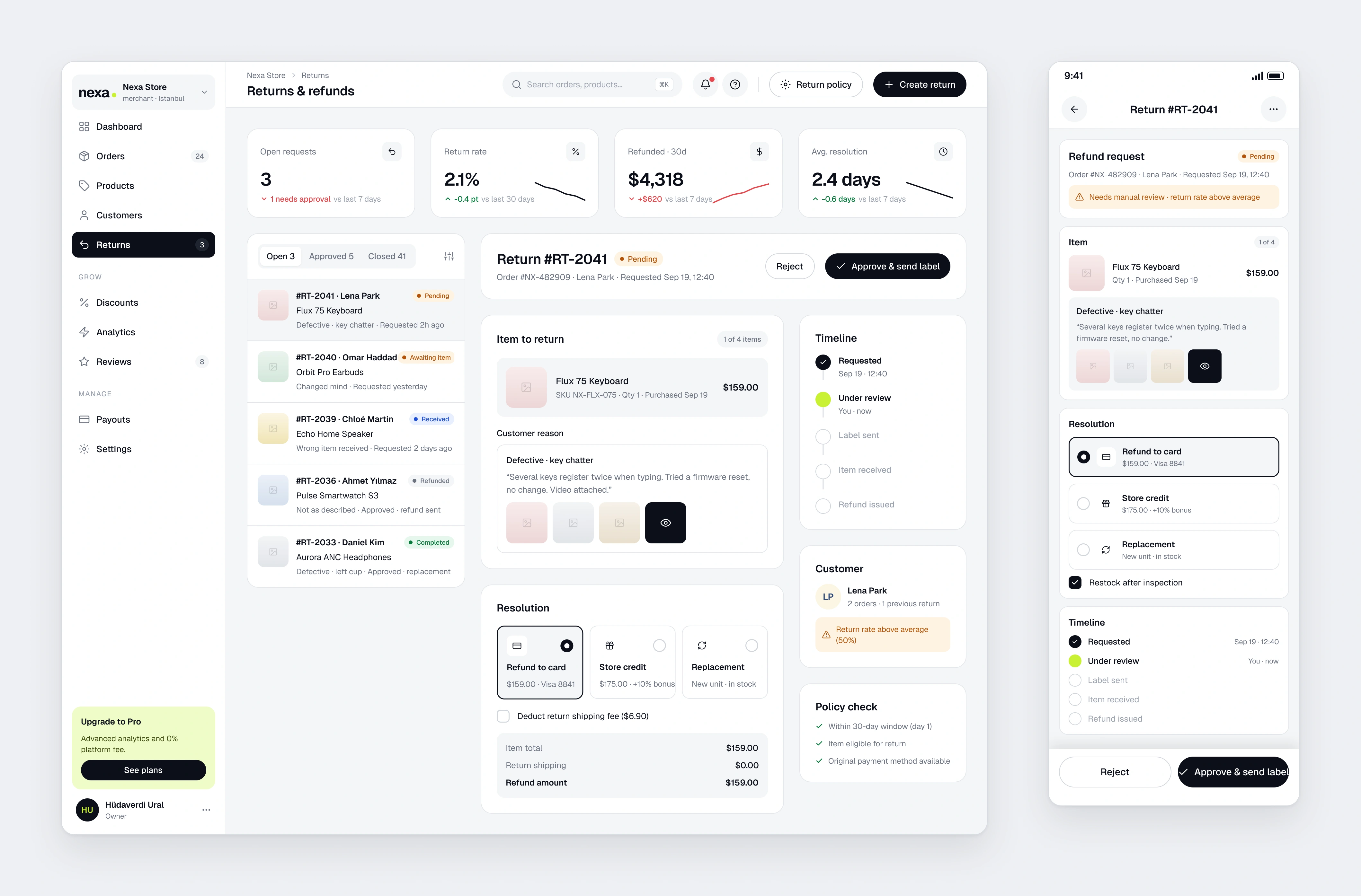
Returns and Refunds
The queue on the left, the case on the right. Policy checks and customer history make the call quick.
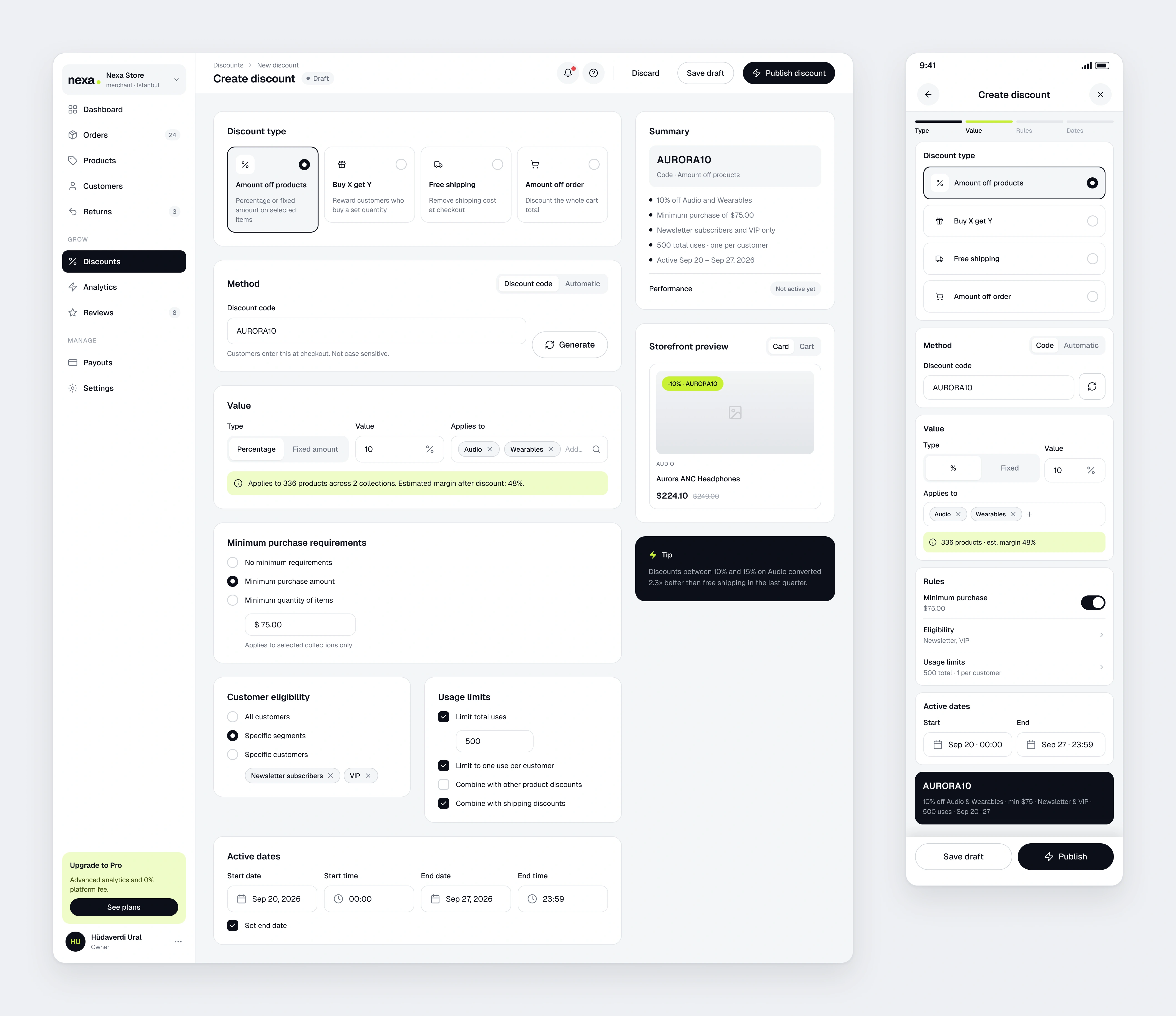
Discount Builder
Type, method, value and rules in order. A live summary and a storefront preview keep the result visible.
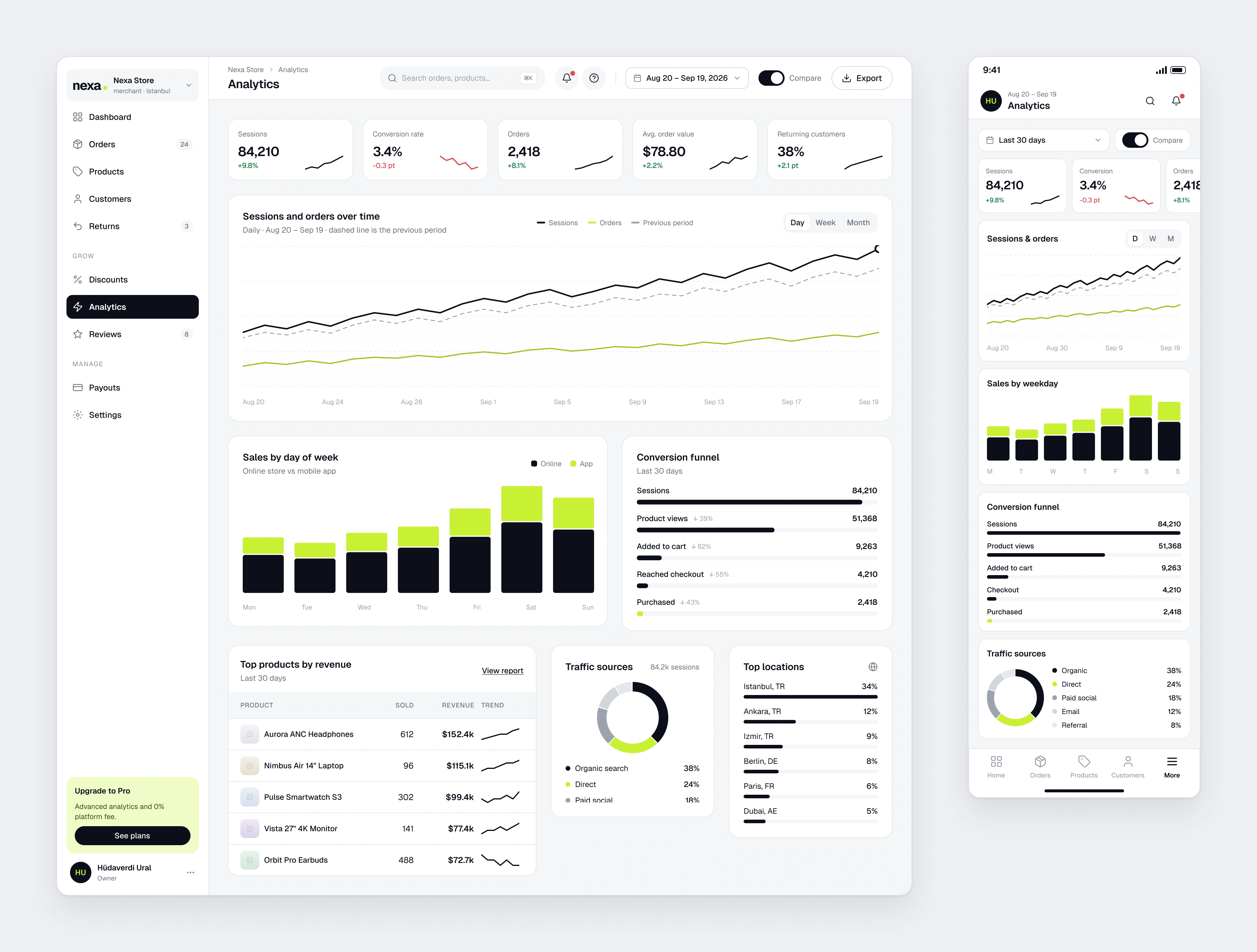
Analytics
Sessions against orders, weekday sales by channel, the funnel and traffic sources. Compare is one toggle.
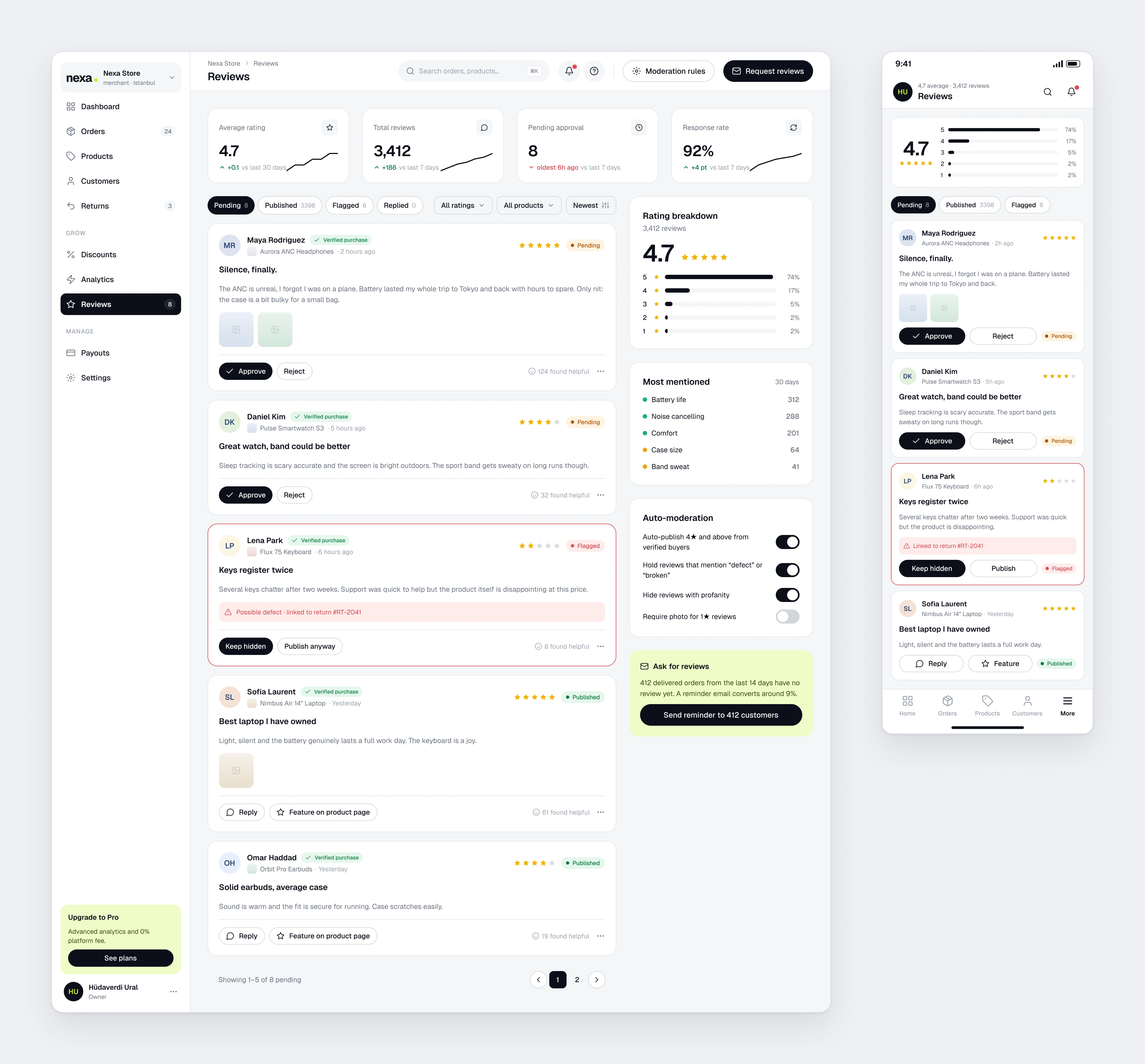
Reviews
Inline approve and reject for pending reviews. Flagged ones link through to returns.
Team and Permissions
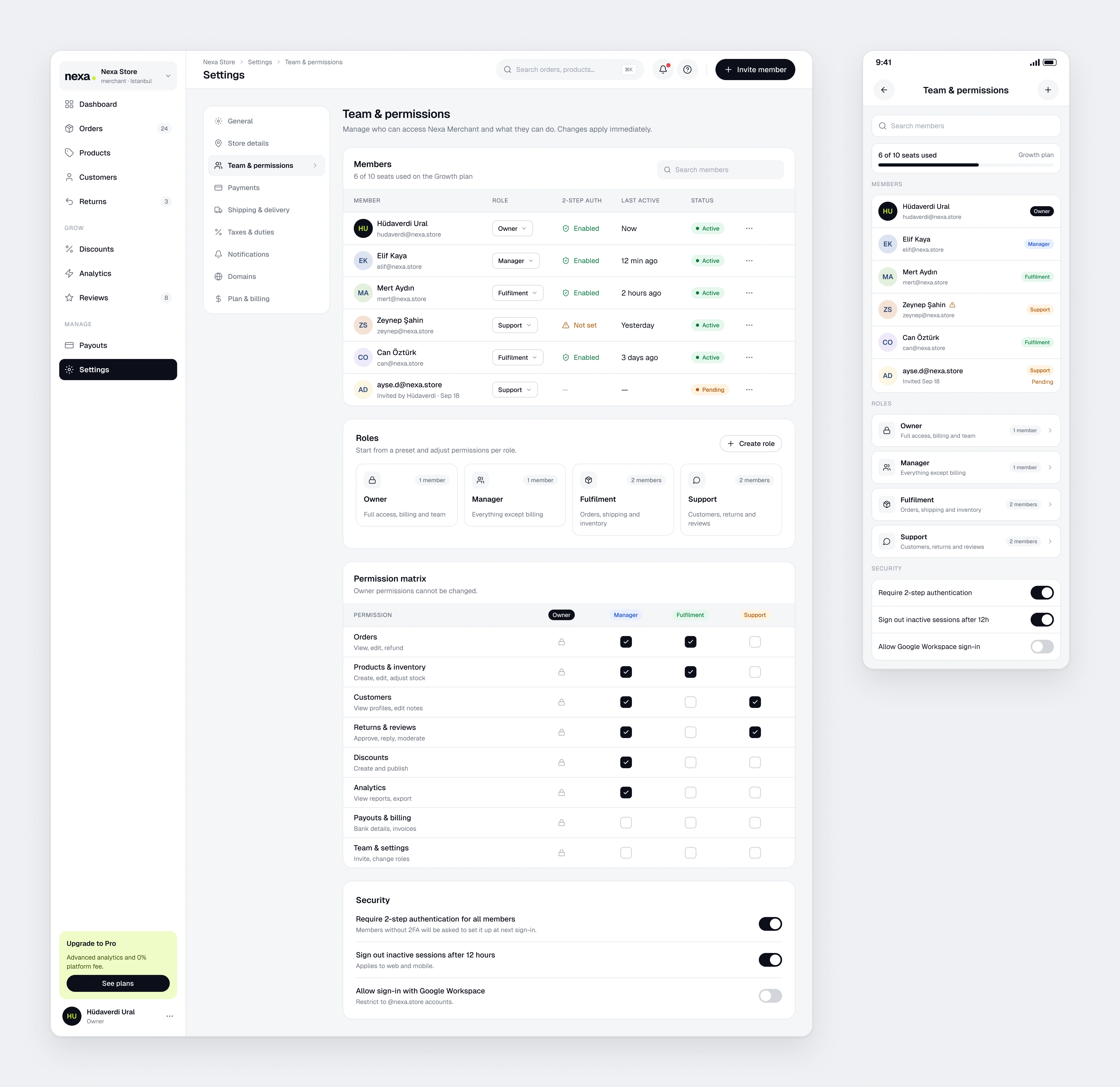
Members, roles and a permission matrix that reads like a table. Security rules at the bottom.
Outcome
This project turned Nexa into a two sided product: calm and open for the shopper, dense but orderly for the seller. Making the same type and colour system work in a data table and on a product card at the same time was where I learned the most.