Product Designer
Ledger
Know what you can actually spend
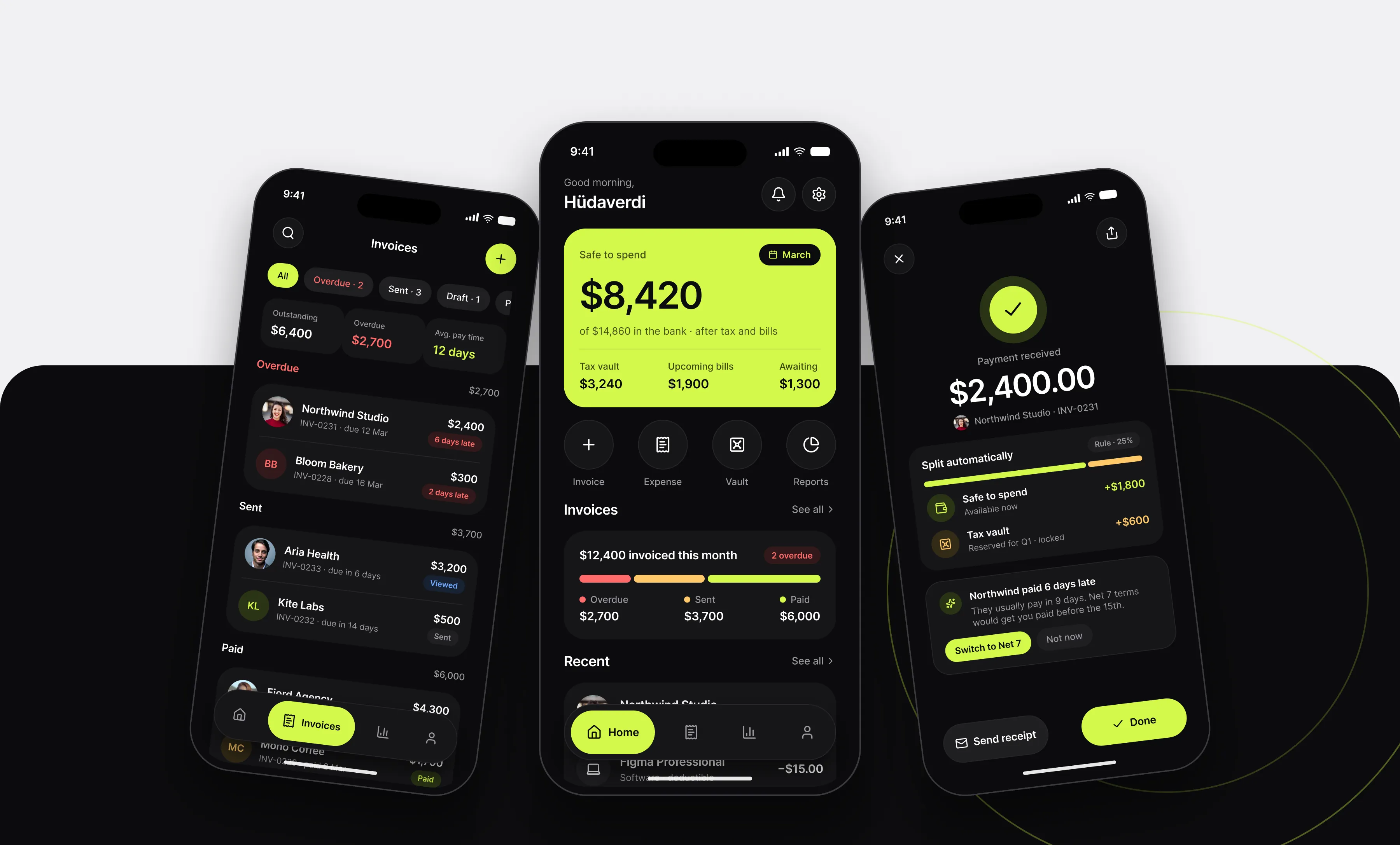
A money app for freelancers. It subtracts tax and upcoming bills from the balance, chases late invoices and keeps the tax office’s share locked away.
Overview
Freelancers don’t have a money problem, they have a visibility problem. Income arrives in lumps, tax is due in a quarter and three clients are “about to pay”. Ledger is built around one honest number: what is safe to spend after tax and bills. The interface is near-black, with a single lime surface for that number and small coral and amber signals for whatever is late or pending.
Screens
Home
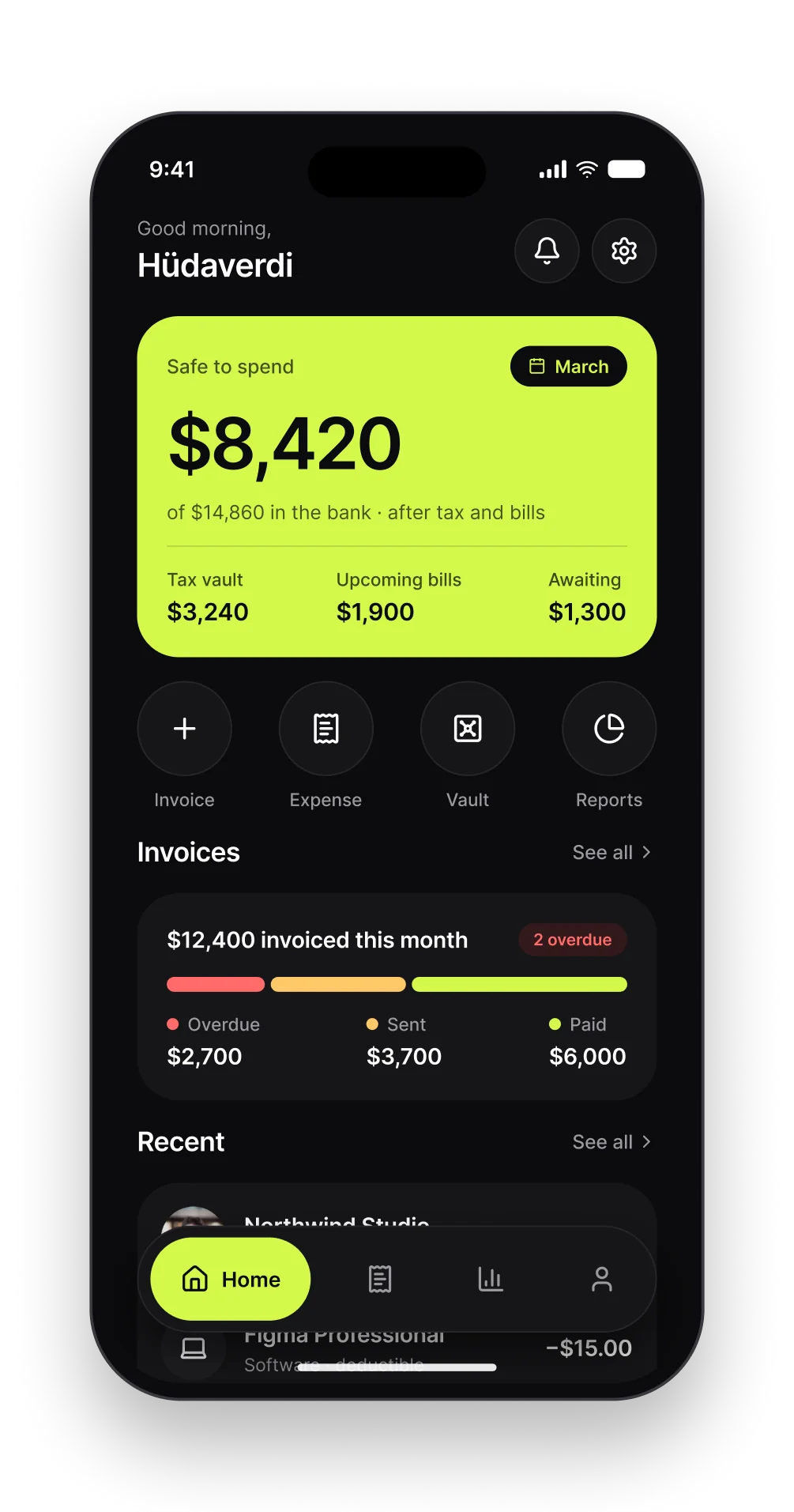
The bank balance minus reserved tax and upcoming bills, on a lime card. Below it: quick actions, this month’s invoice pipeline and recent activity.
Invoices
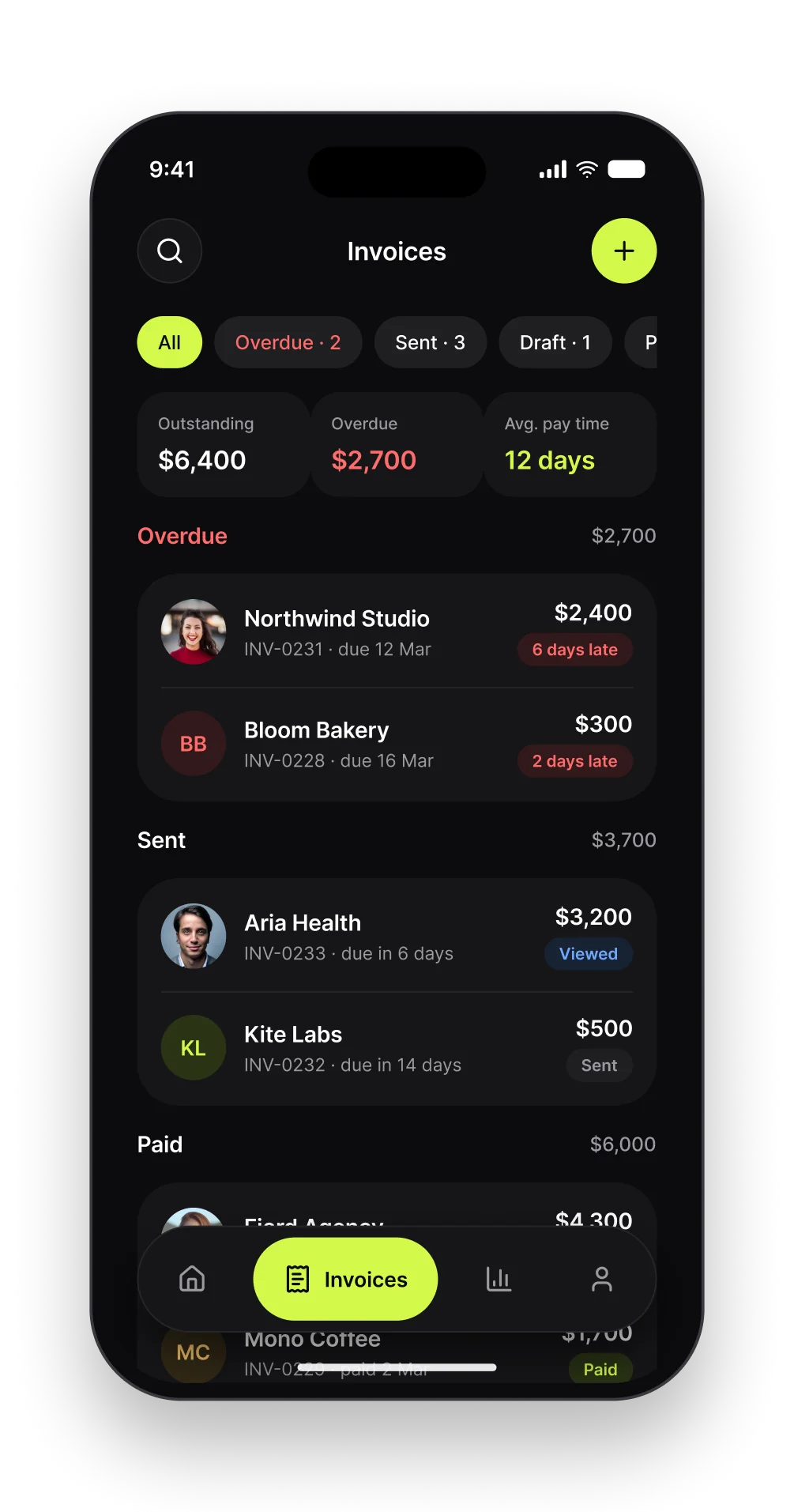
Grouped by what needs attention first: overdue, sent, paid. Every row shows how late a client is, not just a due date.
Invoice detail
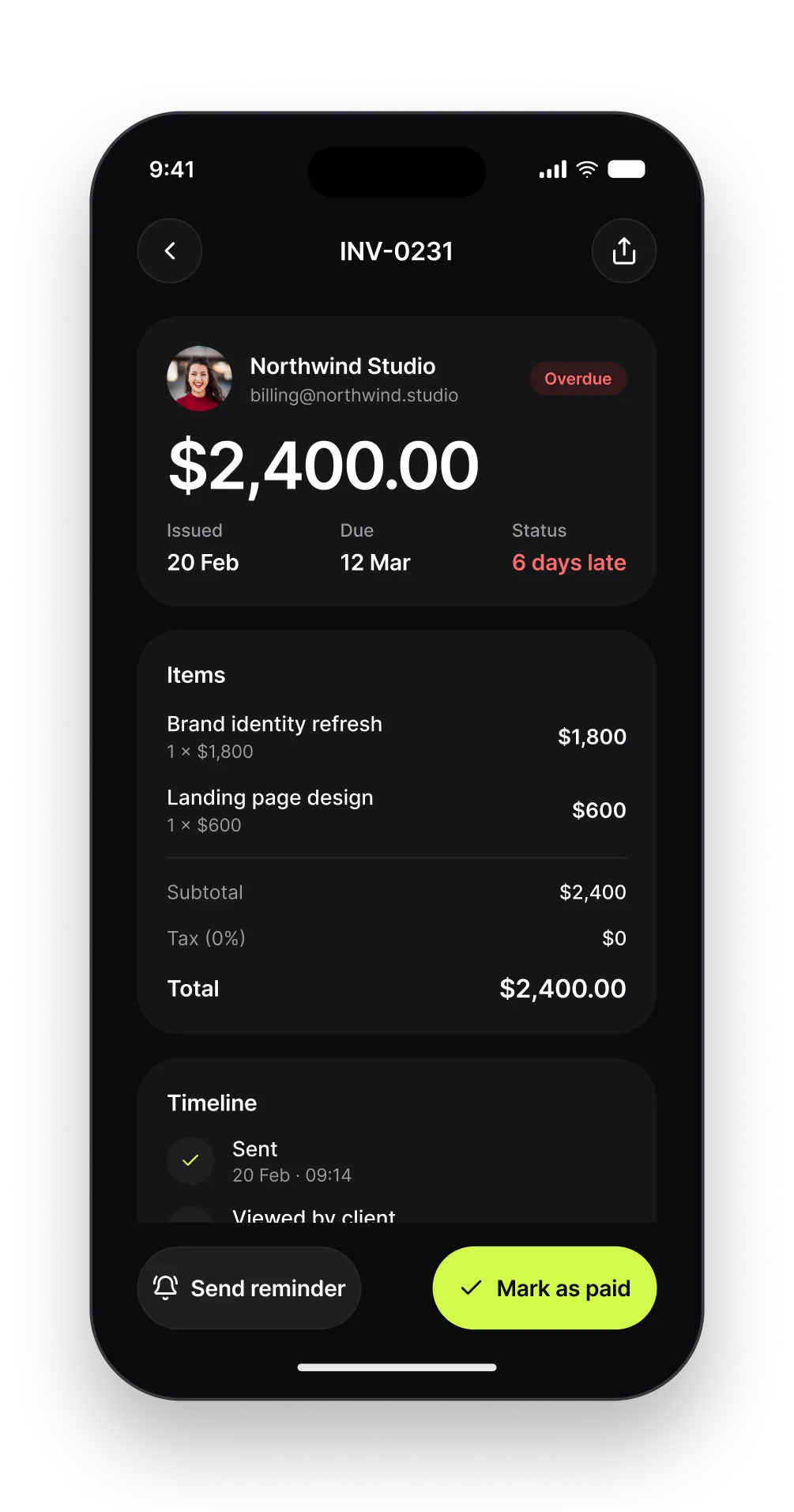
Line items, totals and a timeline of sent, viewed and reminded. Two actions at the bottom: send a reminder or mark it paid.
New invoice
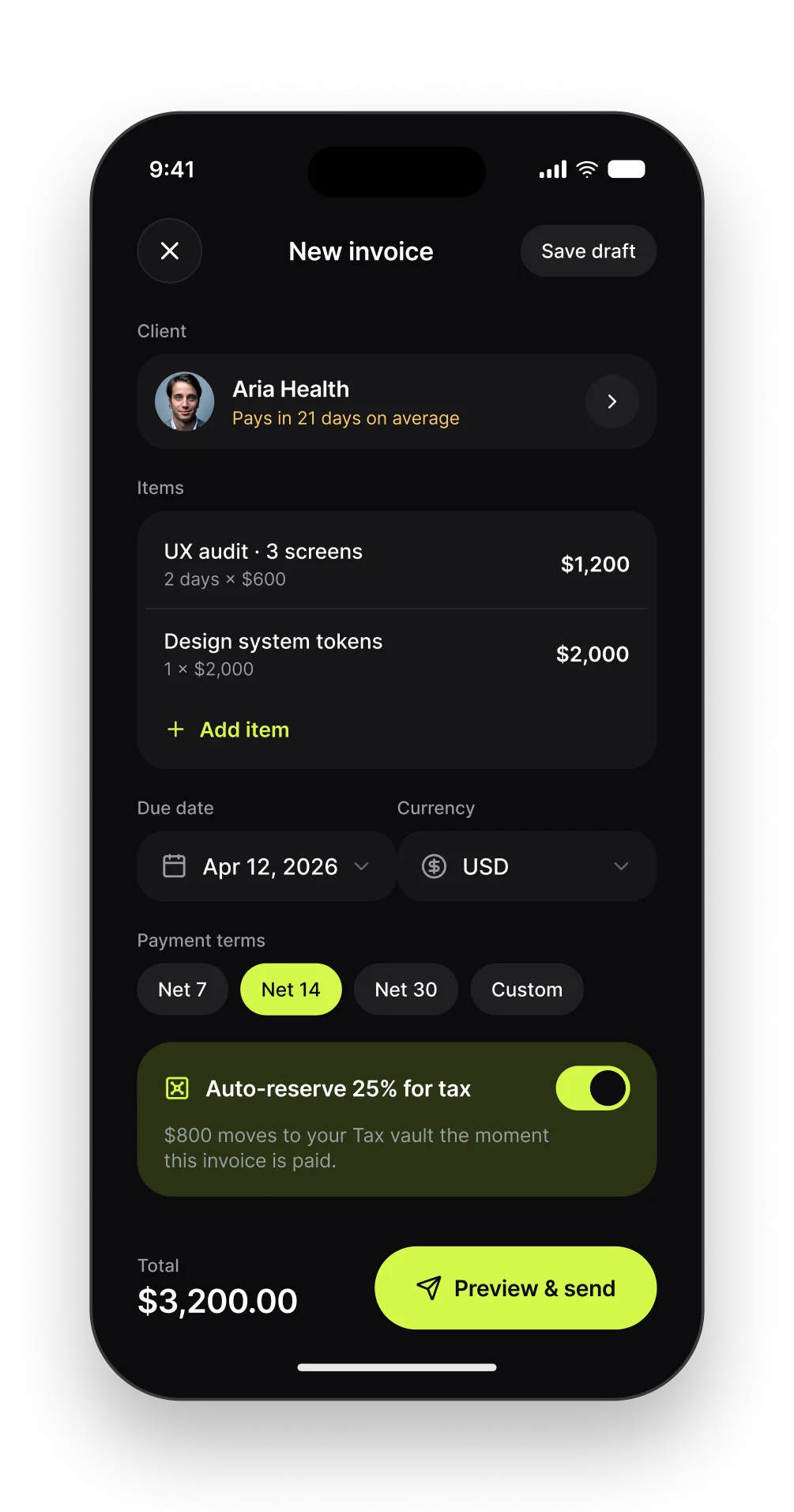
Client, items and terms on one screen. The client’s average pay time is shown while you choose terms, and the tax set-aside is switched on before the money arrives.
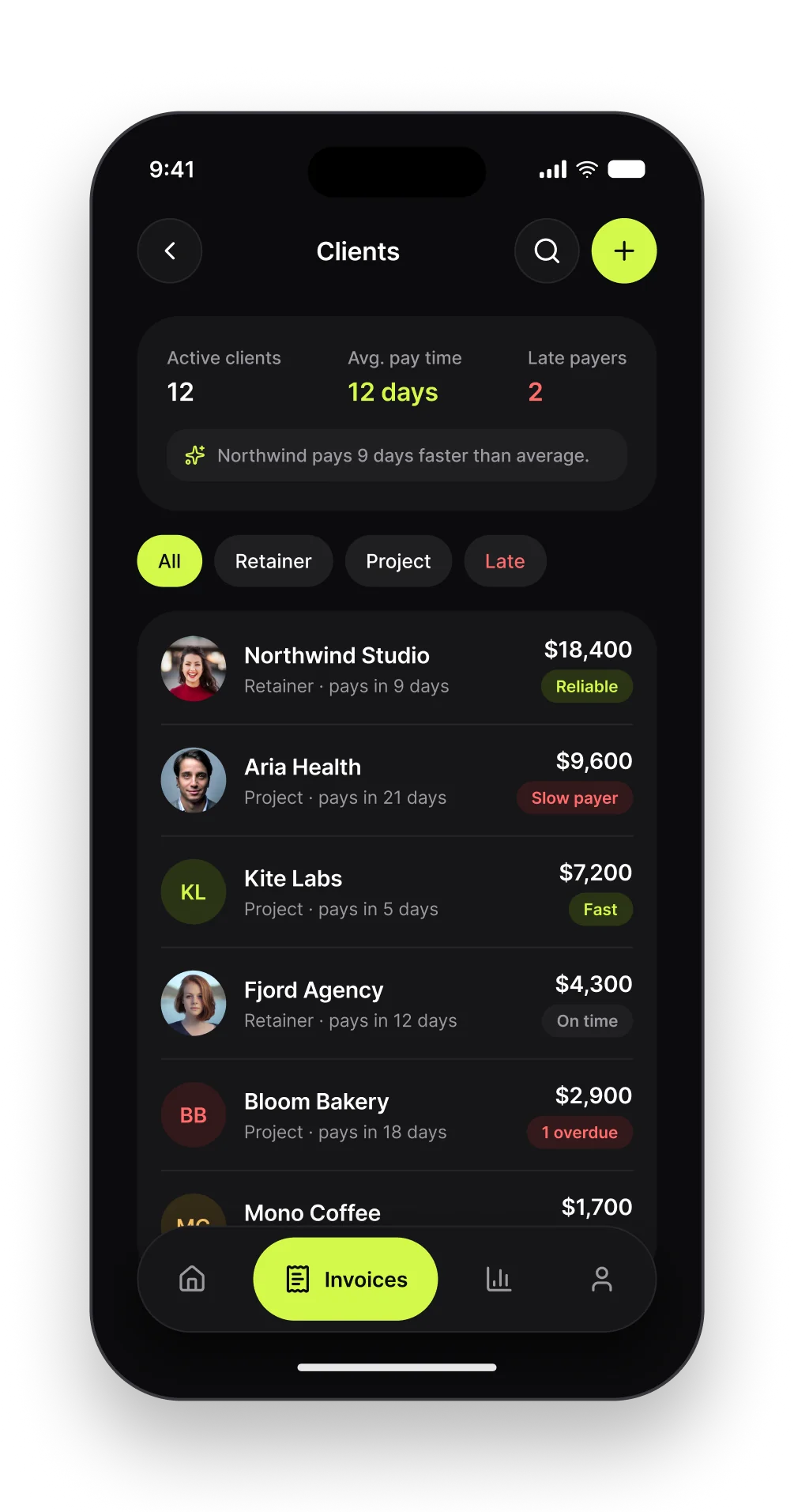
Clients
Ranked by how they pay, not just how much. Average pay time and late flags make it obvious who to chase and who to keep.
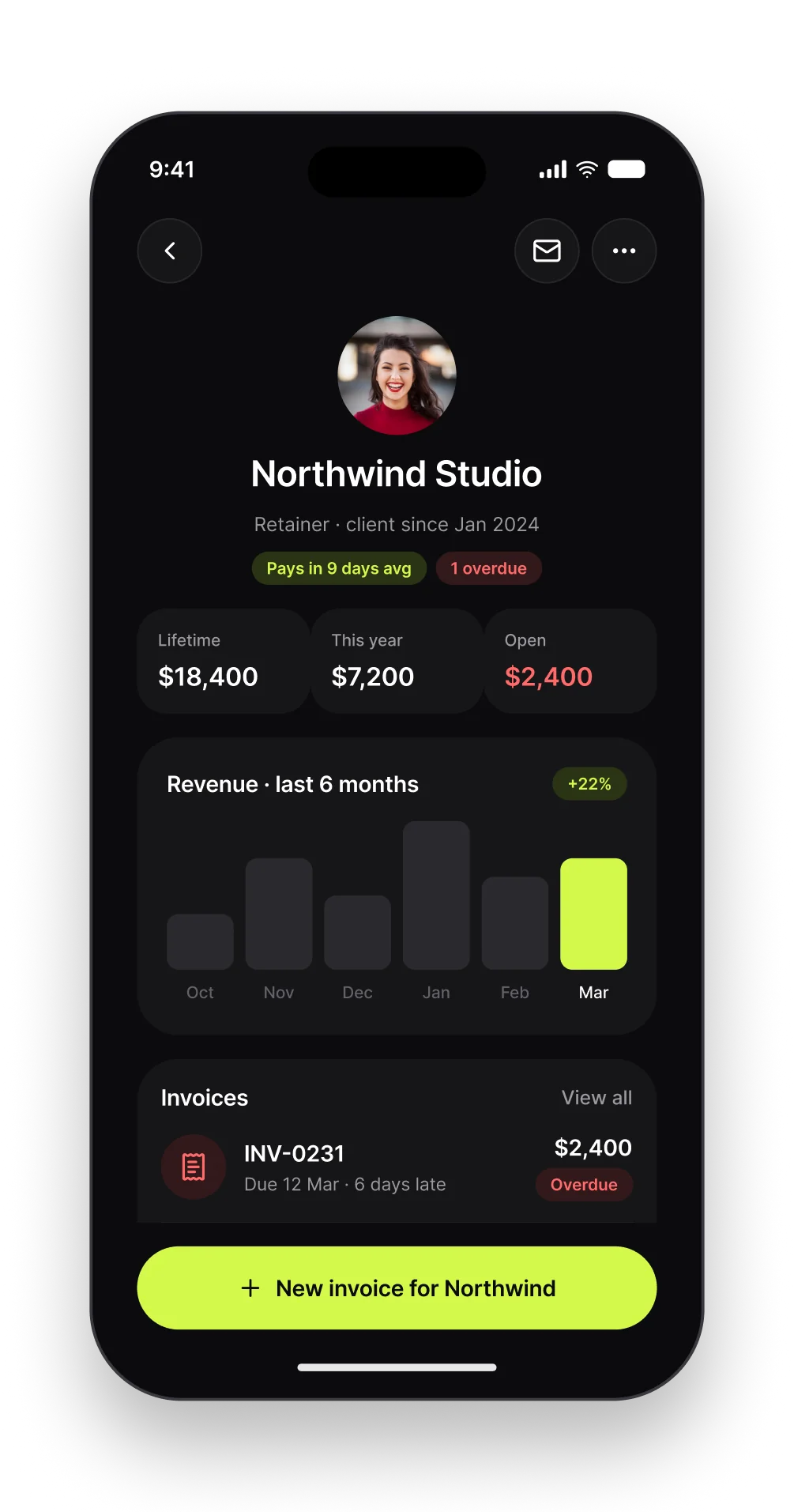
Client detail
Lifetime revenue, six months of history and every invoice for one client, with a single action: invoice them again.
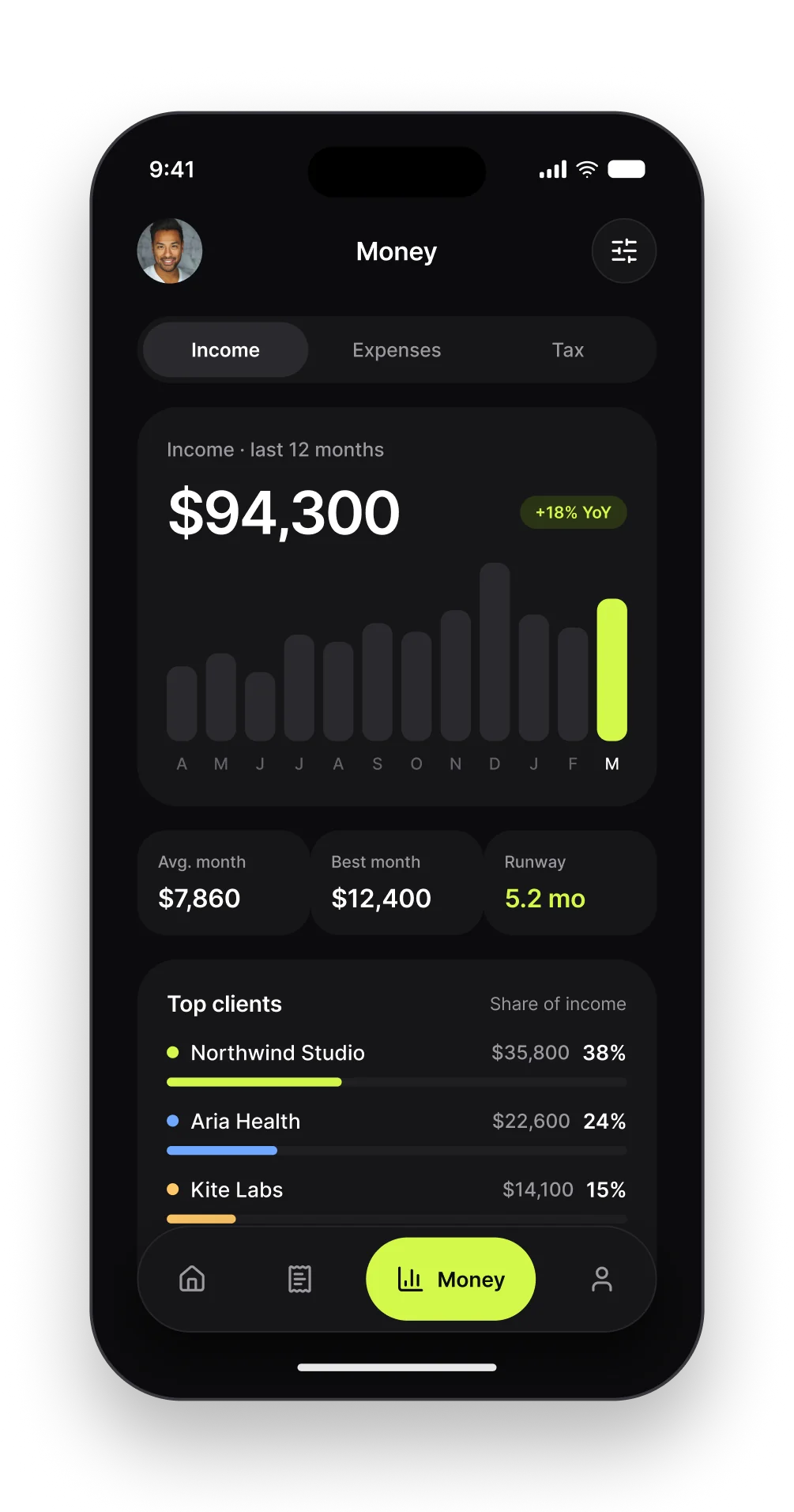
Income
Twelve months of income with average, best month and runway. Top clients show how concentrated the income is.
Tax vault
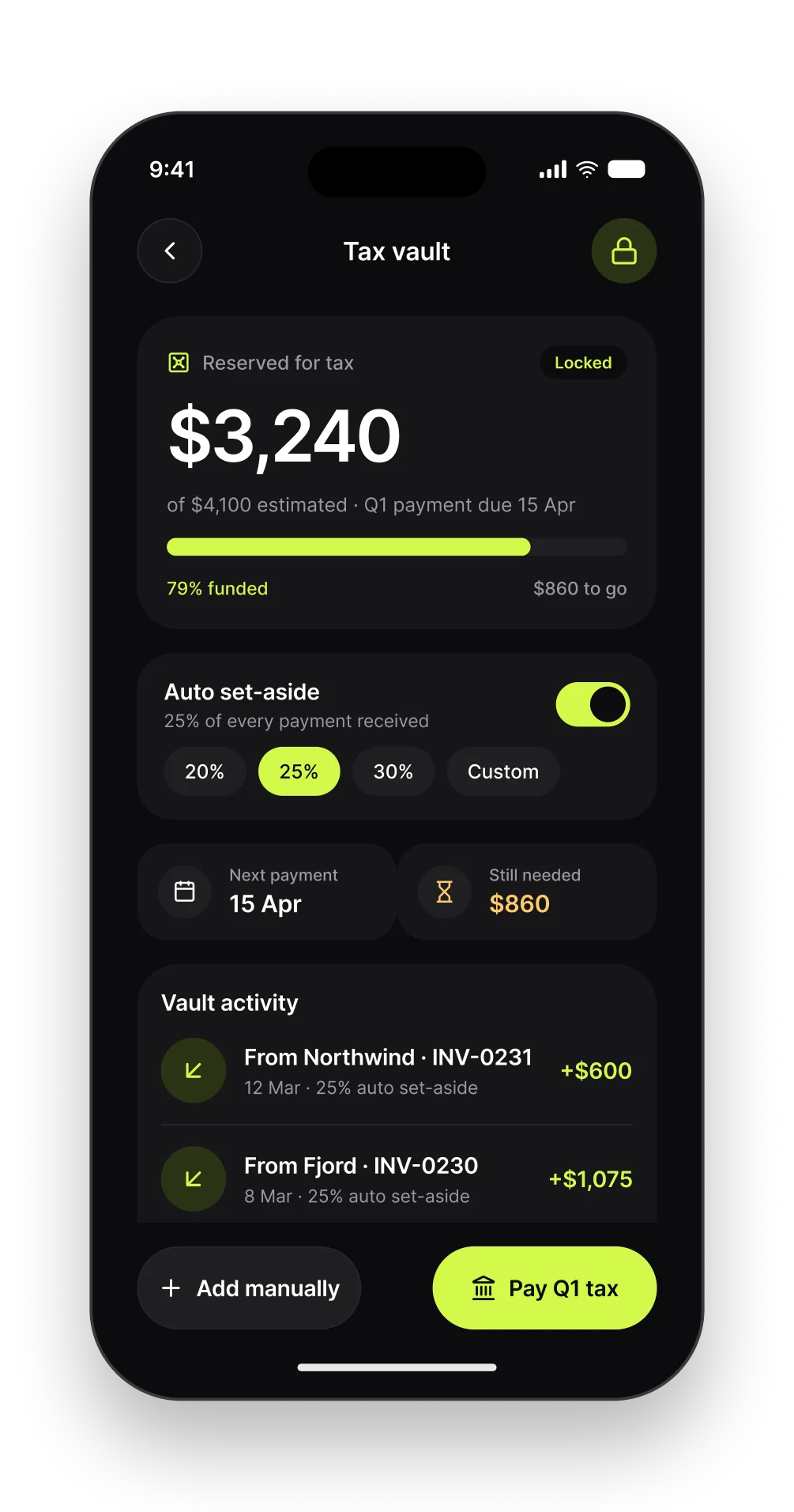
A percentage of every payment moves into a locked vault. The screen shows how funded the next tax payment is and what is still missing.
Expenses
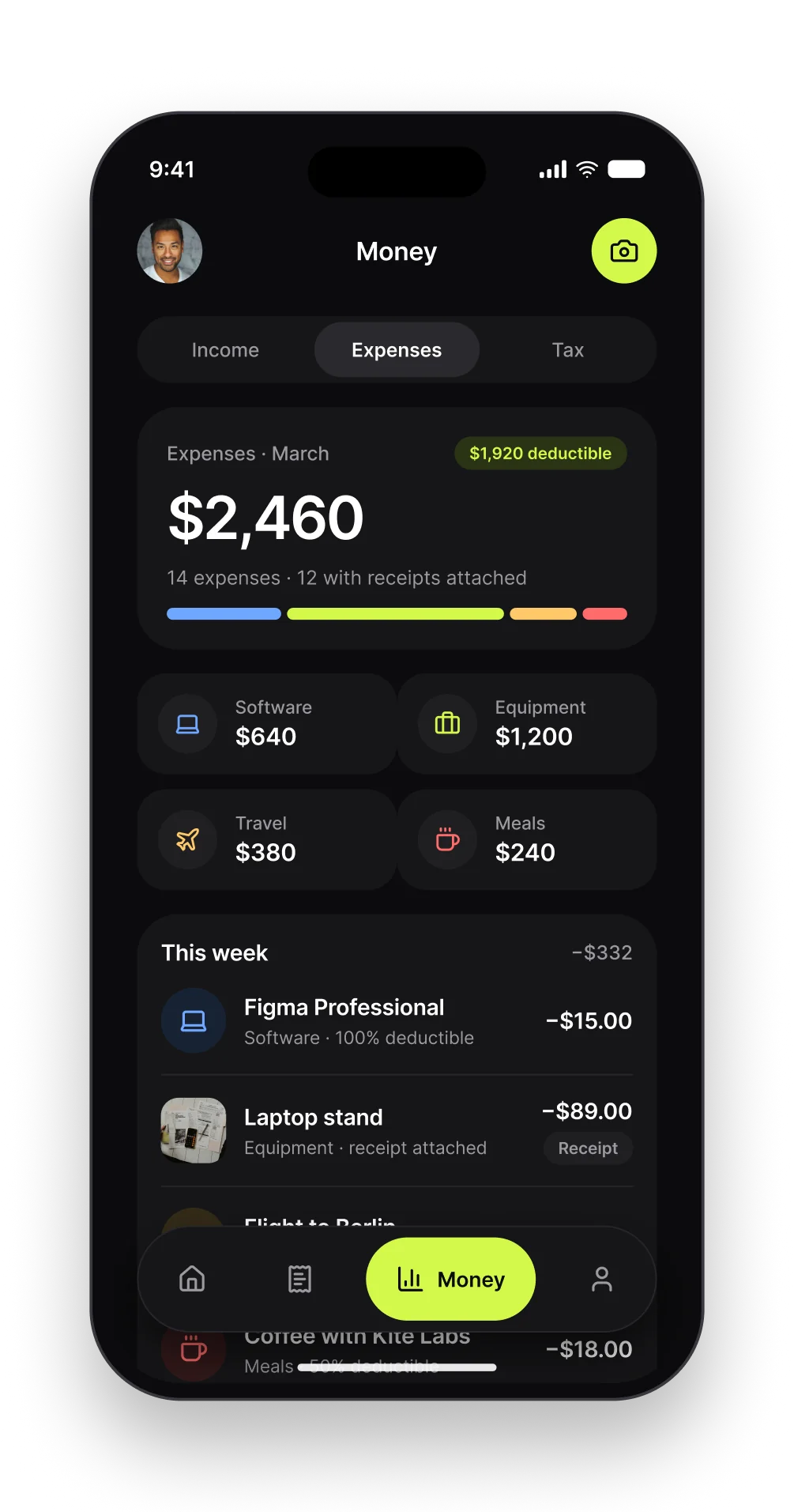
Expenses by category with deductible totals. Receipts attach from the camera; half-deductible meals are handled by a rule.
Payment received
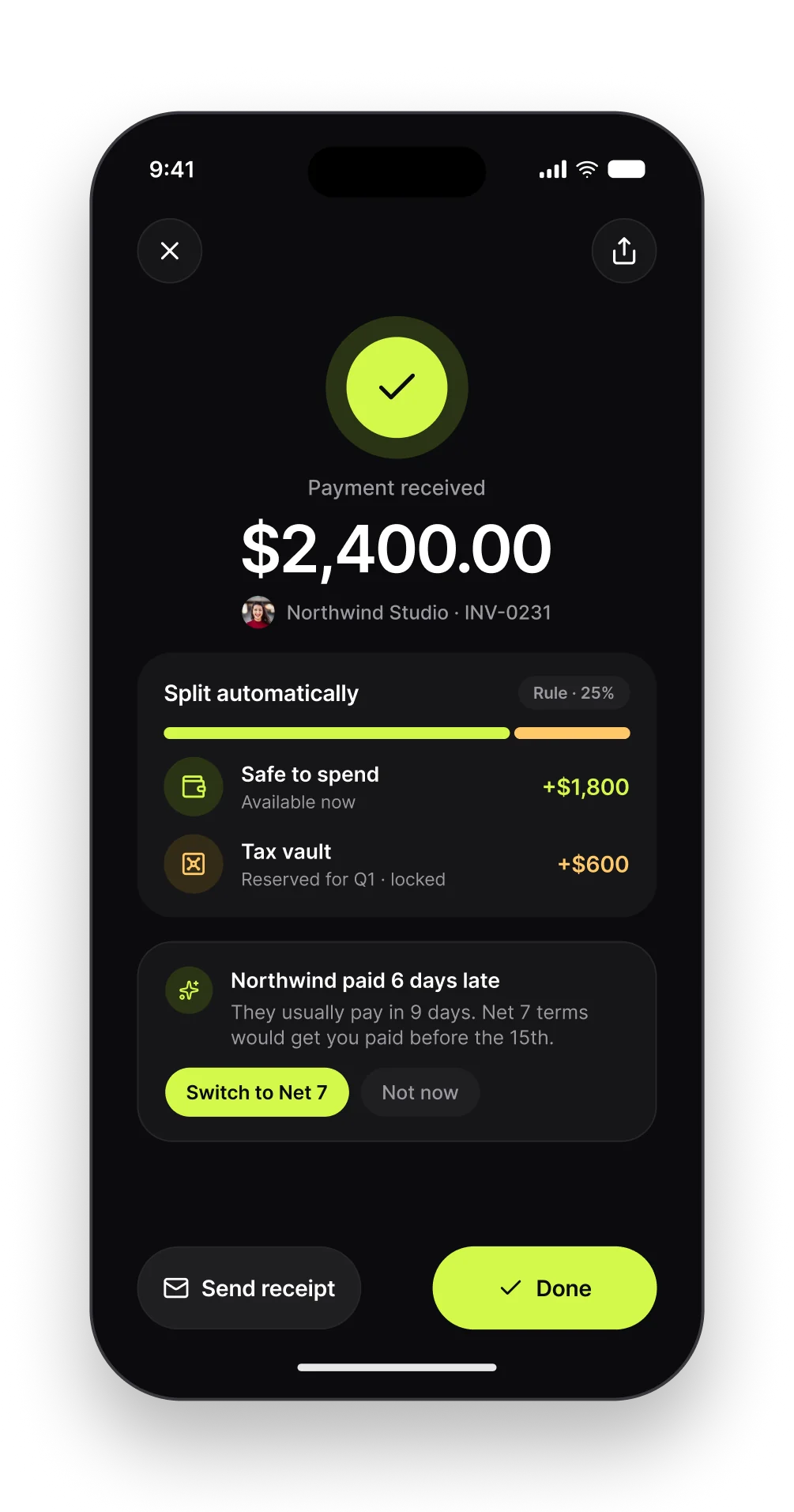
The moment money lands it splits: safe to spend and tax vault. A nudge suggests shorter terms for a client who keeps paying late.
Reports
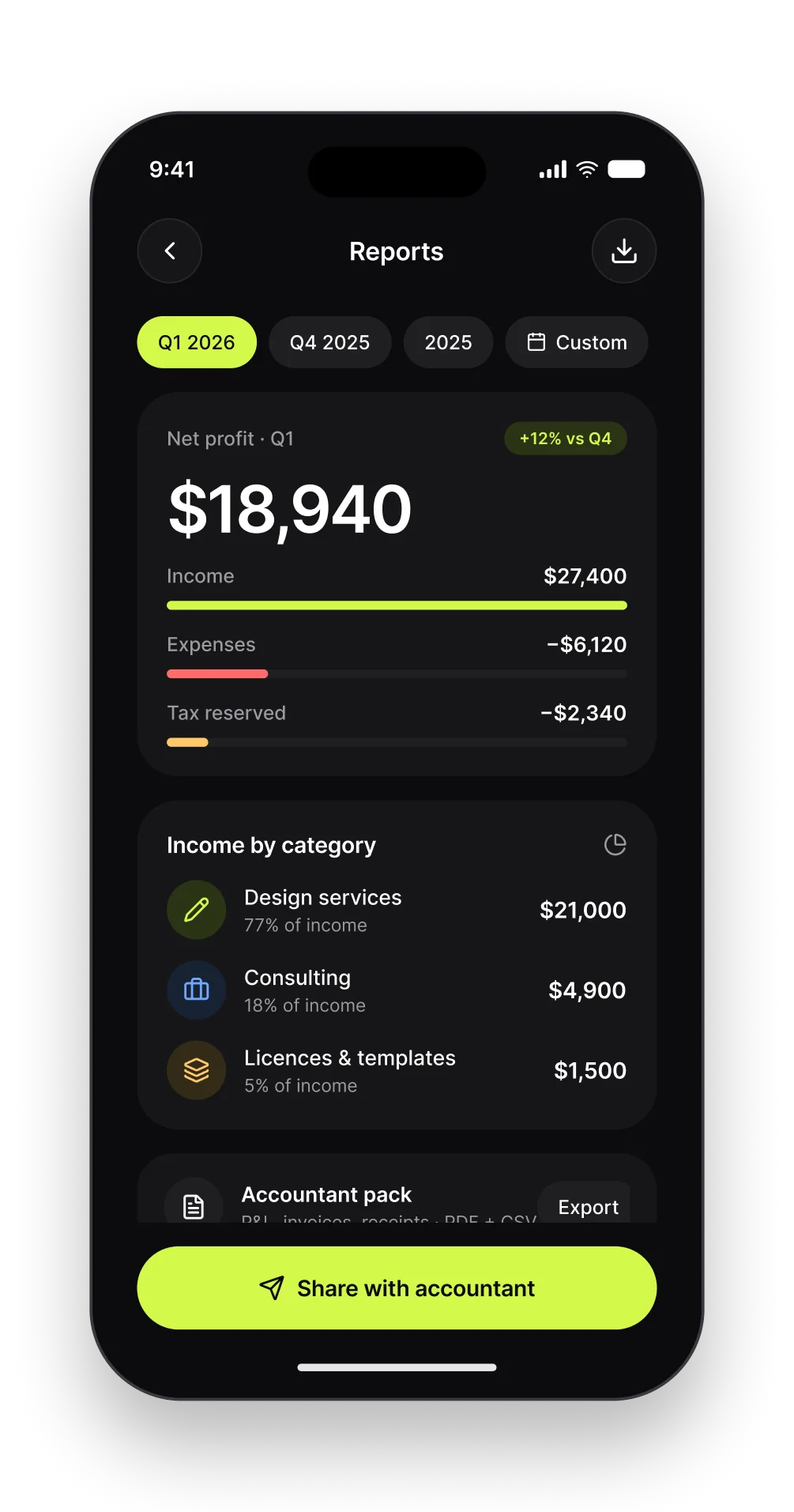
Net profit for the quarter, income by category and a one-tap accountant pack with P&L, invoices and receipts.
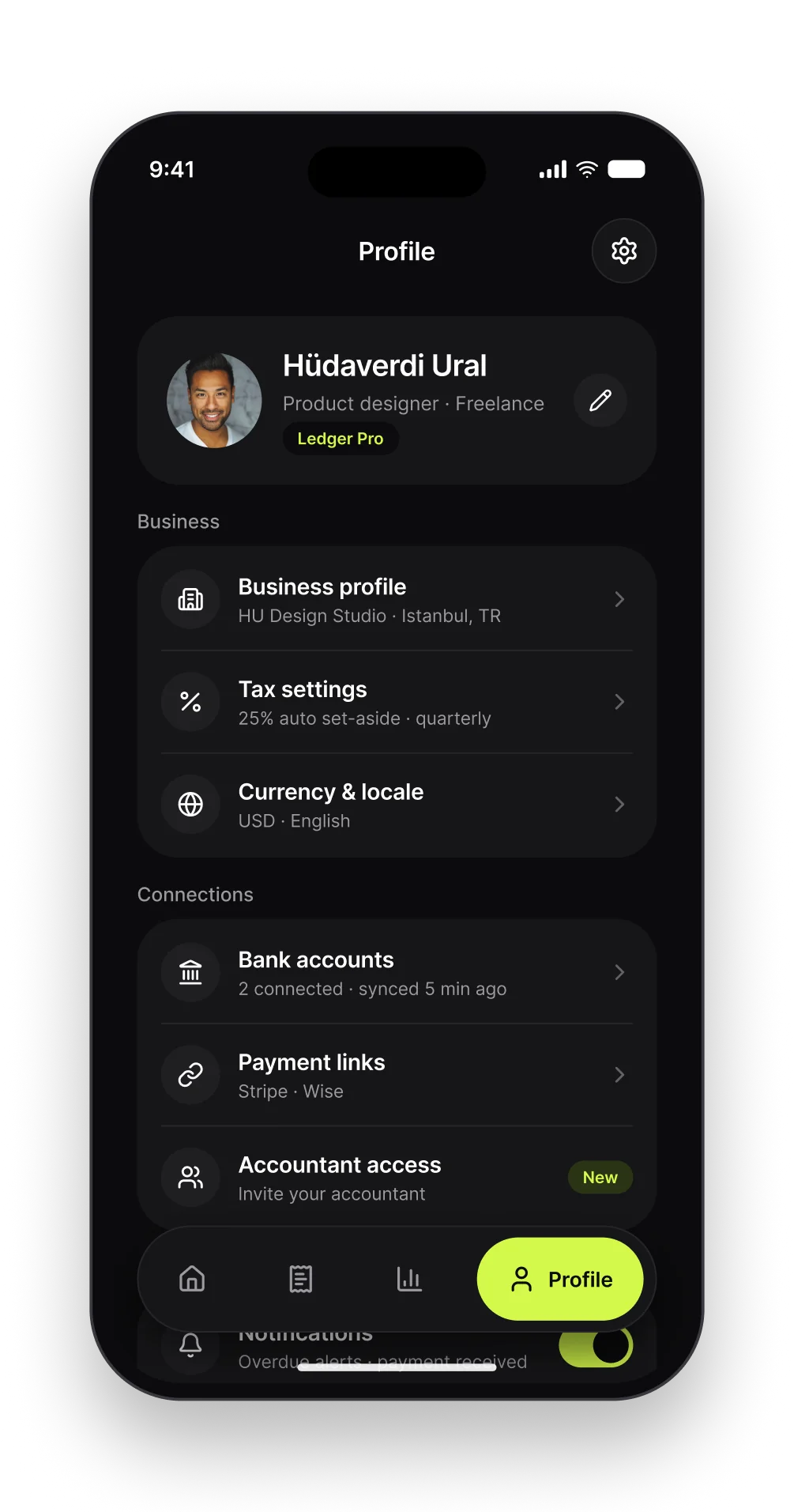
Profile
Business details, tax rules, bank connections and accountant access. Everything that makes the number on Home trustworthy.
Outcome
Ledger is a concept project. All clients, brands and numbers are fictional. The goal was to make freelance money feel as clear as one number on a lime card.